 vs
vs
Looking for a Planoly Alternative?
Planoly is Instagram-focused with limited platform support. OmniSocials gives you all major platforms with more features at a lower price.
OmniSocials$10/moPlanoly$16/mo OmniSocialsPlanoly
* Planoly Starter plan pricing as of 2024.
Why switch from Planoly?
37% Cheaper
Pay $10/mo instead of $16/mo and get unlimited posts instead of 60.
More Platforms
Planoly focuses on Instagram/Pinterest. OmniSocials supports 11 platforms.
No Post Limits
Planoly limits posts even on paid plans. OmniSocials never limits you.
Approval Workflows
Get client approval features that Planoly doesn't offer at any price.
AI-Ready
Connect Claude, ChatGPT, or any AI assistant to manage your social media through natural conversation. No other tool offers this.
Common Planoly frustrations
Feature Deep Dive: OmniSocials vs Planoly
Post Scheduling
Schedule unlimited posts across Instagram, TikTok, Facebook, LinkedIn, Pinterest, YouTube, Threads, Bluesky, and Mastodon from one dashboard.
Planoly limits you to 60 posts per month and primarily supports Instagram and Pinterest. LinkedIn and other platforms are not supported.
OmniSocials gives you unlimited posts across 11 platforms, while Planoly caps posts and limits platform support.
Analytics & Reporting
Track performance across all your connected platforms with comprehensive analytics, engagement metrics, and posting time recommendations.
Planoly offers basic analytics focused on Instagram. Cross-platform reporting is limited, and deeper insights require plan upgrades.
OmniSocials provides full multi-platform analytics included in every plan.
Team Collaboration
Full team collaboration with approval workflows, role-based access, and shared content calendars included on every plan.
Planoly reserves team collaboration for higher-tier plans and doesn't offer approval workflows at any price point.
OmniSocials includes approval workflows that Planoly doesn't offer, even on its most expensive plan.
Pricing & Value
Get unlimited posts, 11 platforms, analytics, and team features for $10/mo. Simple pricing with no post limits.
Planoly starts at $16/mo for just 60 posts on primarily Instagram and Pinterest. More posts and features require expensive upgrades.
OmniSocials costs 37% less than Planoly while offering unlimited posts and far more platform support.
Supported Platforms





Use any agent





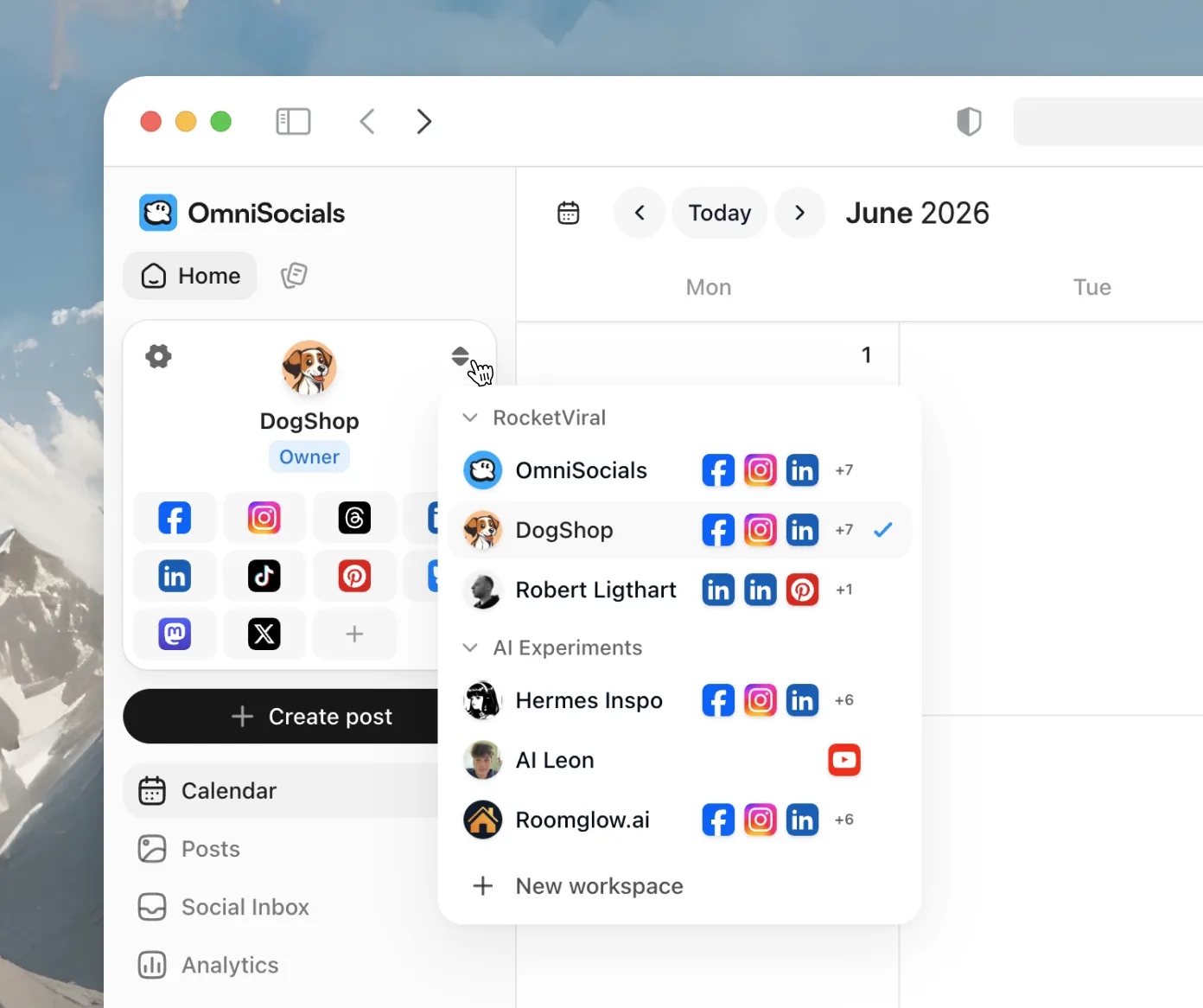
Manage as many social channels as you want
Spin up a separate workspace for every brand or client, each with its own channels, calendar, and team. Switch between them in a single click.
We charge $10 per month annually per workspace
Track your performance
Once you have scheduled posts got posted, you can track your performance and see how it performed on each platform. Tracking your followers, what are your top performing posts.


Switching from Planoly is Easy
Sign Up Free
Create your OmniSocials account in 30 seconds.
Connect Your Accounts
Link your Instagram and Pinterest, then discover how easy it is to add X, LinkedIn, Facebook, and TikTok, all included.
Set Up Your Planner
Configure your visual content calendar and migrate your saved captions and media library into OmniSocials.
Cancel Planoly
Once your content calendar is set, cancel your Planoly subscription from their settings page.
What Transfers
- Connected Instagram and Pinterest accounts
- Scheduled posts and visual planner content
- Saved captions and media assets
- Content calendar entries
What You'll Reconfigure
- Visual grid planner layout and aesthetic
- Auto-post settings and publishing times
- Storefront and link-in-bio configuration
Support We Provide
- Free onboarding to set up your visual content planner
- Guidance on expanding your reach beyond Instagram and Pinterest
- Help migrating your saved captions and media assets
- Priority support throughout your first month
Switch to OmniSocials today
Everything Planoly does, plus unlimited posts, more platforms, and AI-agent control via MCP. One flat $10/mo.
Everything you need to start:
- Unlimited scheduled posts
- Unified social inbox
- Basic analytics
- Schedule posts, stories & reels
- Invite colleagues and or clients to collaborate
- Public API & MCP server access
- 24/5 Support
Need more accounts or team features? View all plans →
Frequently asked questions
Can't find your question answered?
Reach out to support
