How to Schedule Bluesky Posts (7 Best Tools Compared)
Struggling to find a good Bluesky scheduler? You're in the right place.
Bluesky just crossed 40 million users and it's growing fast. But here's the thing. There's no built-in way to schedule posts. No "schedule for later" button. No draft queue. Nothing.
So if you want to plan your Bluesky content ahead of time (and you should), you need a third-party tool.
I've tested the most popular Bluesky scheduling tools to find out which ones actually work well, what they cost, and where they fall short.
To save you time, I've reviewed my top picks below. You'll see what each tool does well, where it comes up short, and which one makes the most sense for your workflow.
By the end, you'll know exactly which Bluesky scheduler to use and why.
Can You Schedule Posts on Bluesky?
Not natively. Bluesky doesn't have a built-in scheduling feature as of February 2026.
There's an open feature request on GitHub (filed July 2024), but the Bluesky team hasn't committed to a timeline.
That means you need a third-party Bluesky scheduler. The good news is that several solid options exist, and most of them also let you cross-post to other platforms at the same time.
Here are the best ones I've found.
7 Best Bluesky Scheduling Tools in 2026
My top picks:
- OmniSocials - Best overall. 11 platforms, $10/mo flat.
- Buffer - Official Bluesky partner. Great free tier.
- Typefully - Best for threads.
- Fedica - Best free option.
#1 - OmniSocials
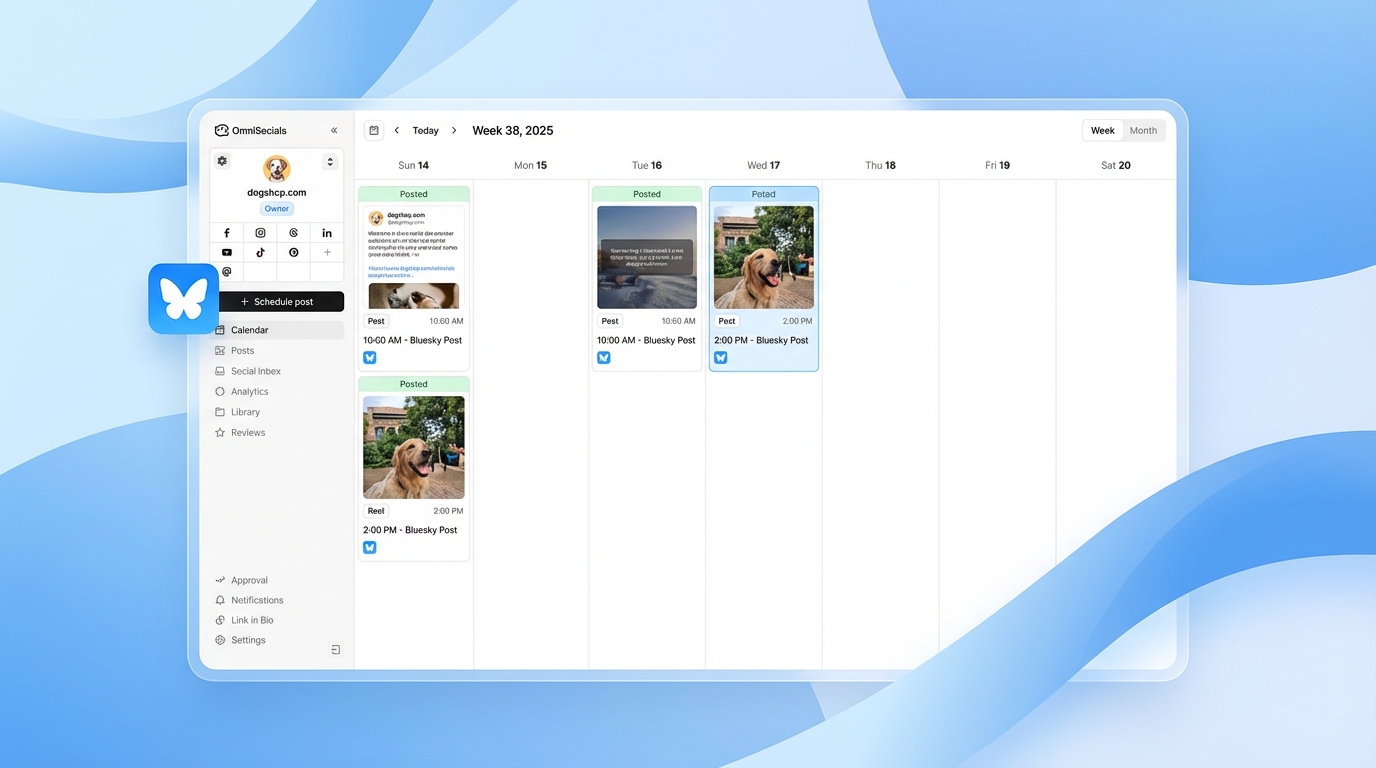
OmniSocials is the best Bluesky scheduler for most users. It's particularly well suited to creators and businesses that manage multiple social platforms from one place.
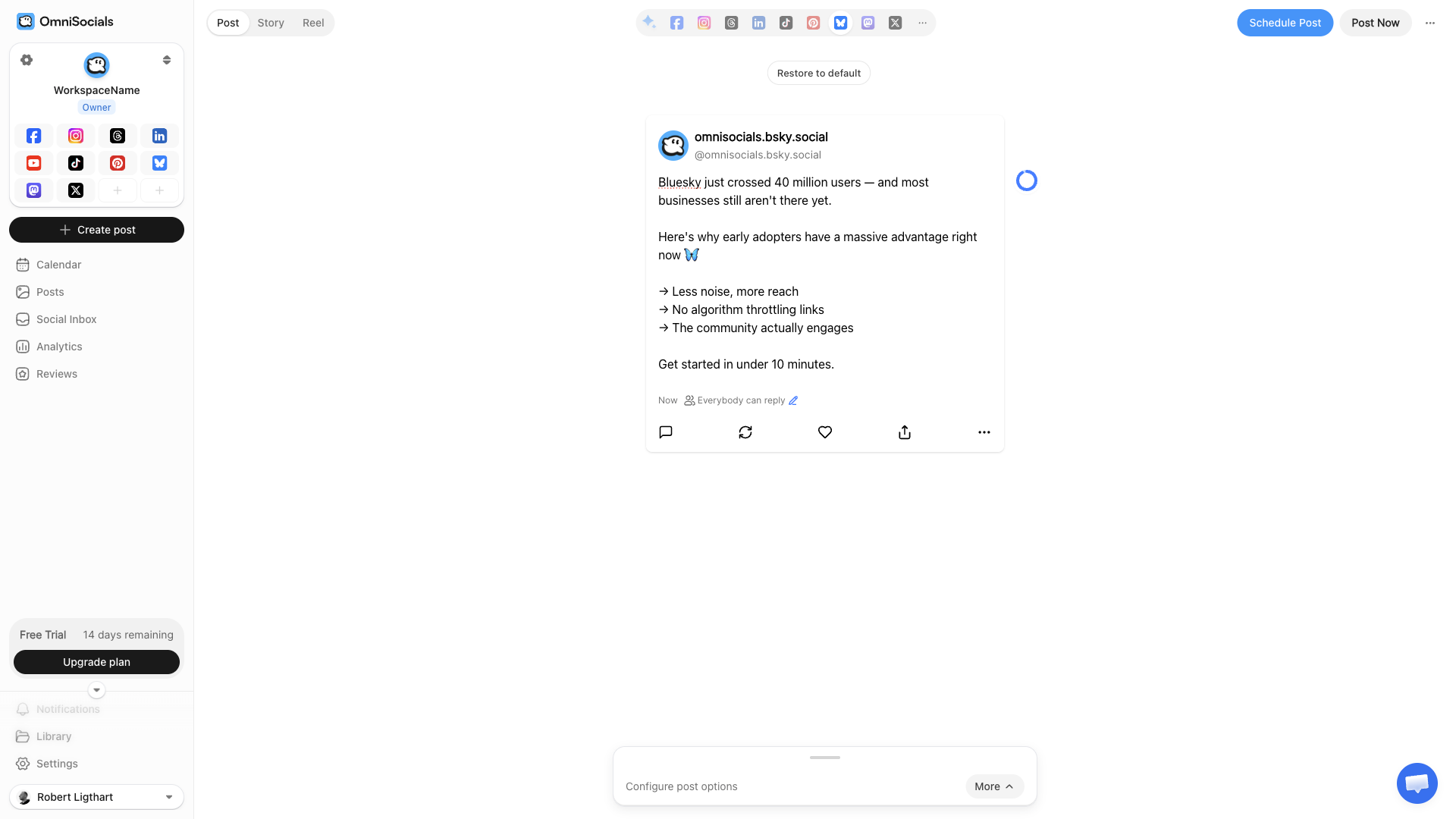
What I particularly like about OmniSocials is its pricing. It's $10/mo flat (annual billing). No per-channel fees. No feature gates. You get everything.
That includes scheduling, a unified inbox, analytics, a media library with Pexels and Unsplash built in, and approval workflows for teams.
OmniSocials supports 11 platforms including Bluesky, Mastodon, Threads, Instagram, LinkedIn, TikTok, X, Facebook, Pinterest, YouTube, and Google Business Profile. That's broader coverage than most tools on this list.
For Bluesky specifically, you get text posts, image posts, and thread scheduling. You can cross-post the same content to all 11 platforms in one go, or customize per platform. It's super easy.
The visual post editor shows you a live preview of how your post will look on Bluesky. Just type your post, attach images, pick a time, and schedule it. Done.
Key features
- 11 platforms from one dashboard
- Visual post editor with per-platform customization
- Unified inbox for DMs and comments across platforms
- Media library with free stock photos
- Approval workflows for team/client review
- Bluesky thread scheduling
Pros
- Best value for money (11 platforms for $10/mo)
- Clean, modern interface
- No per-channel pricing
- Unified social inbox included
- 14-day free trial
Cons
- Newer than Buffer or Hootsuite, so less brand recognition
- Analytics are solid but not as deep as Metricool yet
Pricing
$10/mo (annual) or $12/mo (monthly). 14-day free trial.
#2 - Buffer
Buffer is probably the most well-known name on this list. They were the first official scheduling partner that Bluesky announced.
Their free plan gives you 3 channels with up to 10 scheduled posts per channel. Paid plans start at $6/channel/mo, which can add up quickly if you're managing multiple platforms.
Buffer's interface is clean and simple. If you only need Bluesky plus one or two other platforms, the free tier is genuinely useful.
The per-channel pricing model is the main downside. Once you're managing 5+ platforms, the cost adds up fast. For example, 5 channels comes out to $30/mo, and 8 channels is $48/mo.
Key features
- Official Bluesky integration (first to market)
- Free tier with 3 channels, 10 posts each
- Cross-posting to other platforms
- AI assistant for caption generation
- Browser extension for quick scheduling
Pros
- Strong free tier
- Easy to use
- Official Bluesky partnership
- Supports Bluesky, Mastodon, and most major platforms
Cons
- Per-channel pricing adds up fast
- No unified inbox
- Analytics are basic on the free plan
Pricing
Free (3 channels) / $6/channel/mo (paid). The math: 5 channels = $30/mo, 8 channels = $48/mo.
#3 - Typefully
Typefully takes a different approach. It's built for writers and thread-first content.
If you're the kind of person who writes long-form Bluesky threads (and the Bluesky community loves a good thread), Typefully's distraction-free editor makes the composing process smooth.
You write your thread in a clean editor, see how it'll break into individual posts, and schedule the whole thing. It also supports X (Twitter), LinkedIn, and Mastodon.
What I like about Typefully is the focus. It doesn't try to be everything. It's a writing tool for people who take their posts seriously.
Key features
- Thread-first editor with multi-post preview
- Distraction-free writing environment
- AI ideas and rewrites for drafts
- Performance analytics per thread
Pros
- Best thread writing experience
- Clean, focused interface
- No per-channel pricing
Cons
- Limited to 4 platforms
- No visual calendar
- Not built for teams or agencies
Pricing
Free (1 account, limited) / $12.50/mo (Creator plan). No per-channel pricing.
#4 - Fedica
Fedica (formerly Tweepsmap) is worth a look if budget is the main concern. Their free tier includes Bluesky scheduling alongside solid analytics.
What makes Fedica interesting is the fediverse focus. They support Bluesky, Mastodon, Threads, and X, with detailed follower analytics and engagement data that most free tools don't offer.
The analytics are genuinely impressive for a free tool. You get demographics, active hours, and growth tracking. Most competitors charge for that kind of data.
Key features
- Free Bluesky scheduling with no post limits
- Follower analytics with demographics and active hours
- Cross-posting to Bluesky, Mastodon, Threads, X, and more
- Hashtag and keyword tracking
Pros
- Genuinely free tier with useful features
- Strong analytics for a free tool
- Good fediverse support
Cons
- Interface feels dated compared to Buffer or OmniSocials
- Fewer platforms supported overall
- Some analytics features locked behind paid plans
Pricing
Free (with limits) / Paid plans from $10/mo.
#5 - SocialBee
SocialBee shines if you want to recycle content. You can categorize posts and set them to re-publish on a rotation. This is useful for evergreen Bluesky content like tips, quotes, or resource links.
Their AI copilot helps generate captions and variations of existing posts, so you're not manually rewriting the same thing over and over.
What's unique about SocialBee is their content category system. You can schedule a "promotional posts" category to go out every Friday, a "tips" category for Mondays, and a "curated content" category for Wednesdays. SocialBee handles the rest.
Key features
- Content categories with recycling schedules
- AI copilot for post generation and variations
- Visual calendar with drag-and-drop
- Canva integration for quick graphics
Pros
- Best content recycling features
- AI copilot can generate entire social strategies
- Good scheduling UI
Cons
- Priciest option after Hootsuite
- Overkill if you don't use content recycling
- Interface has a learning curve
Pricing
From $29/mo (Bootstrap plan). 14-day free trial.
#6 - Metricool
Metricool combines scheduling with surprisingly deep analytics. If you want to know exactly how your Bluesky posts perform, Metricool gives you more data than most tools at this price point.
What I particularly like is that Metricool overlays the "best times to post" directly on the social calendar. Saves a lot of time digging through analytics separately.
You also get engagement rates, reach data, follower growth trends, competitor analysis, and hashtag analytics. It's a lot of data for the price.
Key features
- Detailed Bluesky analytics with engagement and reach
- Best time to post suggestions based on your data
- Competitor analysis features
- Hashtag analytics and tracking
Pros
- Best analytics of any tool on this list
- Good value for money
- Generous free plan
Cons
- Scheduling UI isn't as polished as Buffer or OmniSocials
- Free plan is quite limited
- Calendar can lag with large numbers of scheduled posts
Pricing
Free (1 brand, limited) / From $18/mo (Starter plan).
#7 - Postpone
Postpone is purpose-built for platforms that the bigger tools were slow to support. Bluesky, Reddit, Mastodon, and Lemmy.
If you're specifically focused on newer or decentralized platforms and don't need Instagram or Facebook scheduling, Postpone is a focused alternative.
It does one thing and does it well. Scheduling for niche platforms that other tools overlook.
Key features
- Bluesky, Reddit, Mastodon, Lemmy support
- Bulk scheduling via CSV upload
- Post recycling for evergreen content
- Simple, focused interface
Pros
- Best support for niche/decentralized platforms
- Bulk scheduling is handy
- Simple to use
Cons
- Doesn't support Instagram, Facebook, or TikTok
- Smaller company with less polish
- Limited analytics
Pricing
From $19/mo. 14-day free trial.
Pricing Comparison
| Tool | Starting Price | Bluesky Posts | Platforms | Free Tier | Per-Channel Fees |
|---|---|---|---|---|---|
| OmniSocials | $10/mo | Unlimited | 11 | 14-day trial | No |
| Buffer | $6/channel/mo | 10 (free) / Unlimited (paid) | 8 | Yes (3 channels) | Yes |
| Typefully | $12.50/mo | Unlimited | 4 | Yes (limited) | No |
| Fedica | Free / $10/mo | Unlimited | 8+ | Yes | No |
| SocialBee | $29/mo | Unlimited | 9 | 14-day trial | No |
| Metricool | $18/mo | Limited (free) / Unlimited | 9 | Yes (1 brand) | No |
| Postpone | $19/mo | Unlimited | 4 | 14-day trial | No |
How to Schedule Your First Bluesky Post
The process is roughly the same across all these tools. Here's the step-by-step. I'll use OmniSocials as the example, but the flow is similar everywhere.
1. Create an App Password in Bluesky
Bluesky uses App Passwords instead of OAuth for third-party tool connections. This is a security feature. You can revoke an App Password without changing your main password.
Go to Settings > Privacy and Security > App Passwords. Create a new one and copy it. You'll need this in the next step.
Heads up: Don't share your App Password. If a tool asks for your main Bluesky password instead of an App Password, that's a red flag.
2. Connect your account in the scheduling tool
Open your scheduling tool (OmniSocials, Buffer, whichever you chose). Go to connected accounts or channels, and add Bluesky.
You'll enter:
- Your Bluesky handle (e.g.,
@yourname.bsky.social) - The App Password you just created
That's it. The connection should be instant.
3. Compose your post
Write your post in the tool's editor. Most tools show a preview of how it'll look on Bluesky. You can add:
- Images (Bluesky supports up to 4 per post)
- Links (with auto-generated link cards)
- Threads (multi-post sequences, if the tool supports it)
If you're cross-posting to other platforms, check the preview for each one. Character limits and image formats differ.
4. Pick your publish time
Choose when you want the post to go live. Some tools suggest optimal times based on your engagement data. Metricool and SocialBee are particularly good at this.
If you're just starting out and don't have engagement data yet, see the best times section below.
5. Confirm and schedule
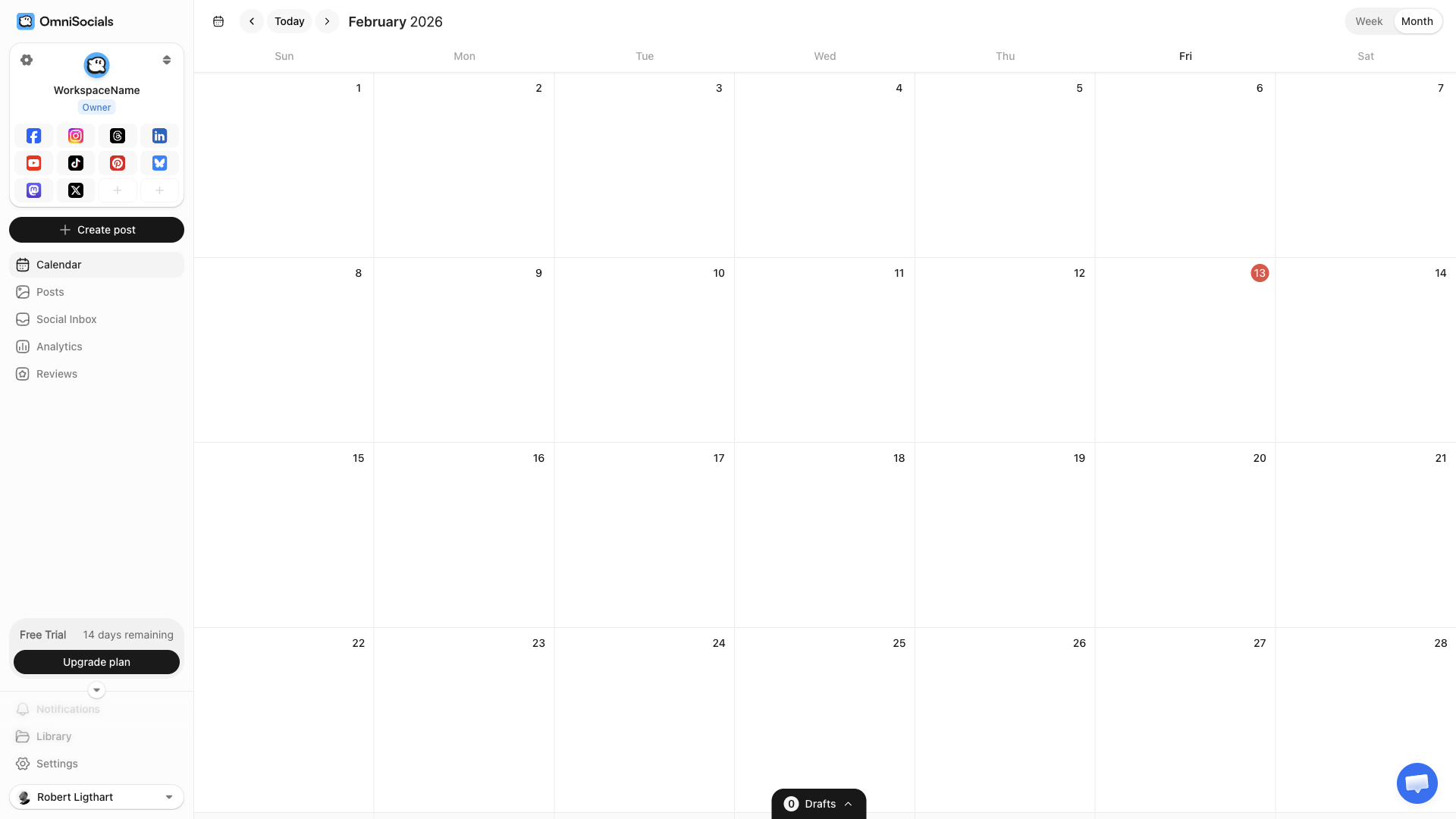
Review the post, double-check the time (watch out for time zone settings), and hit schedule. The tool will publish it automatically at the set time.
Best Times to Post on Bluesky
Bluesky's feed isn't purely chronological. It blends chronological and algorithmic elements. That said, timing still matters because fresh posts get an initial boost in visibility.
Based on data from Social Champ and Hopper HQ:
| Day | Best Times (ET) |
|---|---|
| Monday | 8-10 AM, 7-9 PM |
| Tuesday | 9-11 AM, 6-8 PM |
| Wednesday | 10 AM-12 PM (peak day) |
| Thursday | 8-10 AM, 7-9 PM |
| Friday | 9-11 AM |
| Saturday | 10 AM-12 PM |
| Sunday | 5-7 PM |
Wednesday mid-morning consistently shows the highest engagement across studies. Evenings (6-9 PM ET) are a strong secondary window on weekdays.
These are aggregate numbers though. Your audience may be different. After a few weeks of scheduled posts, check your own analytics to see when your followers are most active.
3 Bluesky Scheduling Mistakes to Avoid
Don't treat Bluesky like Twitter/X
Bluesky has a different culture. The community leans anti-algorithm, pro-conversation, and values authenticity. Posting the same recycled marketing content you use on X won't land well.
Tailor your Bluesky posts. Be more conversational. Engage in replies. Scheduling your posts is fine. Just make sure what you're scheduling doesn't feel robotic.
Don't over-schedule
1-3 posts per day is a good range. More than that and you risk flooding followers' timelines, especially since Bluesky's feed has a strong chronological component.
Space posts 3-4 hours apart so they don't stack up.
Don't ignore custom feeds and starter packs
Bluesky's custom feeds are a unique discovery mechanism. Your scheduled posts can appear in topic-specific feeds (like "Tech" or "Marketing") based on content and engagement, not just who follows you.
Write posts with custom feed discovery in mind. Use relevant keywords naturally. Custom feed algorithms pick up on them.
So, What Is the Best Bluesky Scheduler?
We've talked through plenty of tools. But which is the best?
All of them do a solid job at getting your Bluesky posts scheduled. So it ultimately comes down to which suits your needs best.
OmniSocials is going to be the best option for most users. You get 11 platforms for $10/mo with no per-channel fees. The interface is clean, scheduling is easy, and you get a social inbox thrown in. Hard to beat on value.
Before diving into a scheduling tool, it's worth deciding whether Bluesky is actually right for your business. Our Bluesky for business guide covers the platform's current state, the opportunity for early movers, and what content strategy actually works there.
If budget is tight, Fedica has a genuinely useful free tier with analytics included. And Buffer's free plan works well if you only need 3 channels.
For thread writers, Typefully is the clear winner. The distraction-free editor is great for composing long-form Bluesky content.
If you want deep analytics on your post performance, go with Metricool. The data it gives you is impressive for the price.
And if content recycling is your thing, SocialBee handles that better than anyone. Their AI copilot can even generate an entire social strategy for you.
Frequently Asked Questions
Can I schedule Bluesky threads?
Yes. Tools like OmniSocials, Typefully, and Buffer support scheduling multi-post Bluesky threads. You compose the full thread in the editor and schedule it to publish as a connected series of posts at your chosen time.
Is there a free Bluesky scheduler?
Yes. Fedica offers free Bluesky scheduling with analytics. Buffer's free plan supports up to 3 channels, including Bluesky. OmniSocials offers a 14-day free trial with full features.
Can I cross-post from Bluesky to other platforms?
Most Bluesky scheduling tools support cross-posting. OmniSocials lets you publish one post to 11 platforms at once, including Bluesky, Mastodon, Threads, Instagram, and LinkedIn. Buffer and SocialBee also support multi-platform cross-posting from a single editor. See the full guide to cross-posting to Bluesky and Mastodon.
Will Bluesky add native scheduling?
A native scheduling feature has been requested on Bluesky's GitHub (issue #4810, filed July 2024), but there's no official timeline. For now, third-party scheduling tools are the only option for scheduling Bluesky posts in advance.
How many Bluesky posts should I schedule per day?
Most Bluesky users see good engagement with 1-3 posts per day. Bluesky's feed blends chronological and algorithmic elements, so spacing posts 3-4 hours apart helps maximize visibility without flooding your followers' timelines.