How to Schedule Threads Posts (7 Best Tools in 2026)
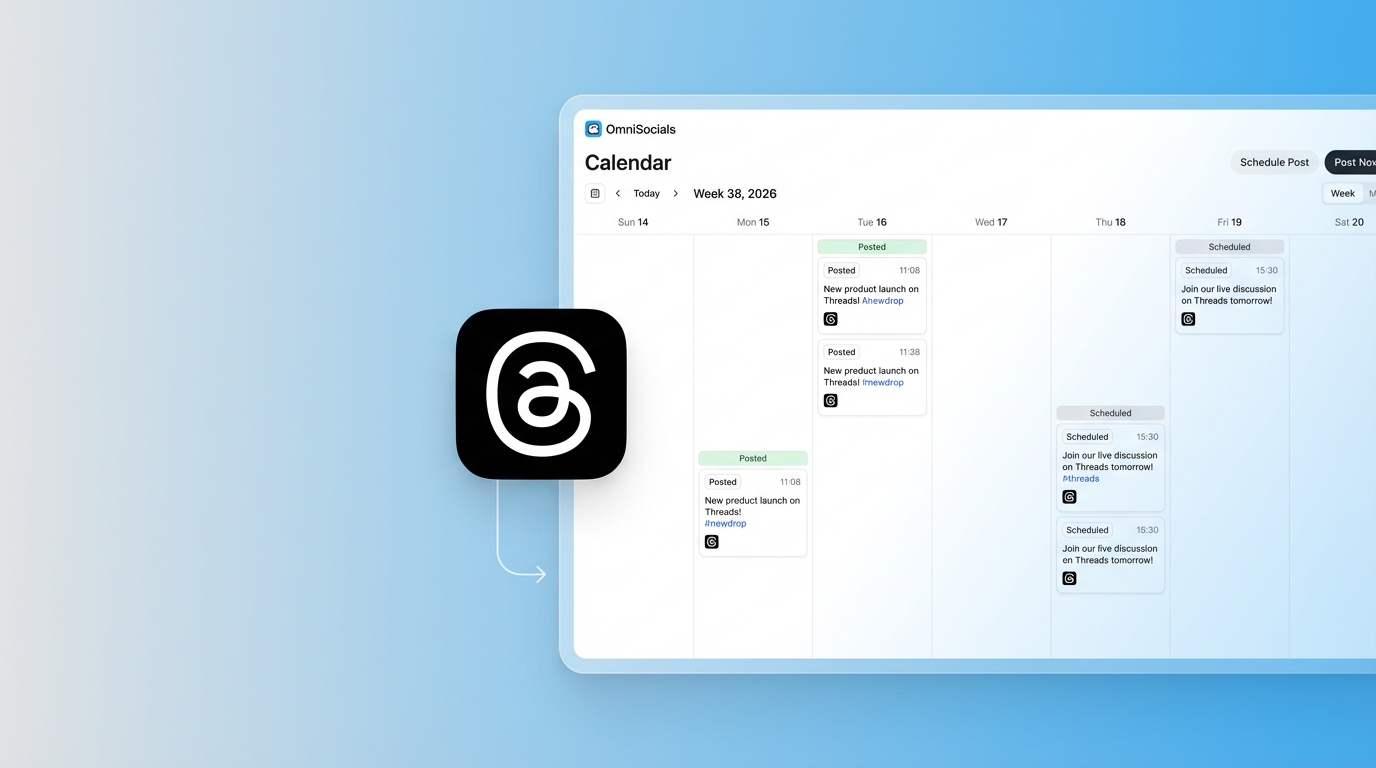
Threads hit 275 million monthly active users in late 2025, according to Meta's Q3 earnings call. That number is still climbing. But the app still doesn't let you schedule posts.
If you're managing a brand or building an audience on Threads, you're stuck posting in real time. Or you were, until third-party tools added Threads API support.
I've tested 7 scheduling tools that work with Threads right now. This guide covers what each one costs, what it does well, and how to actually set up scheduled posting.
Quick Picks
Short on time? Here's the summary.
| Tool | Best For | Price | Threads Features |
|---|---|---|---|
| OmniSocials | Best value overall | $10/mo flat | Schedule, cross-post to 11 platforms |
| Buffer | Free plan users | Free / $6/ch/mo | Schedule, basic analytics |
| Later | Instagram + Threads combo | $25/mo | Visual planner, link in bio |
| Hootsuite | Enterprise teams | $99/mo+ | Full suite, team workflows |
| Metricool | Analytics-focused users | $22/mo | Deep performance data |
| Publer | Bulk scheduling | $12/mo | Bulk upload, recycling |
| Sprout Social | Large agencies | $199/mo per seat | CRM, advanced reporting |
How to Schedule Threads Posts (Step by Step)
The process is similar across all tools. Here's how it works.
1. Connect your Threads account
Open your scheduling tool and look for "Add account" or "Connect channels." Select Threads. You'll be redirected to log in through Instagram since Threads uses the same Meta account.
Grant the permissions the tool requests. This typically includes publishing posts and reading basic profile info.
Note: Threads uses Meta's API, so the connection goes through your Instagram account. You need a Threads account linked to Instagram for this to work.
2. Compose your post
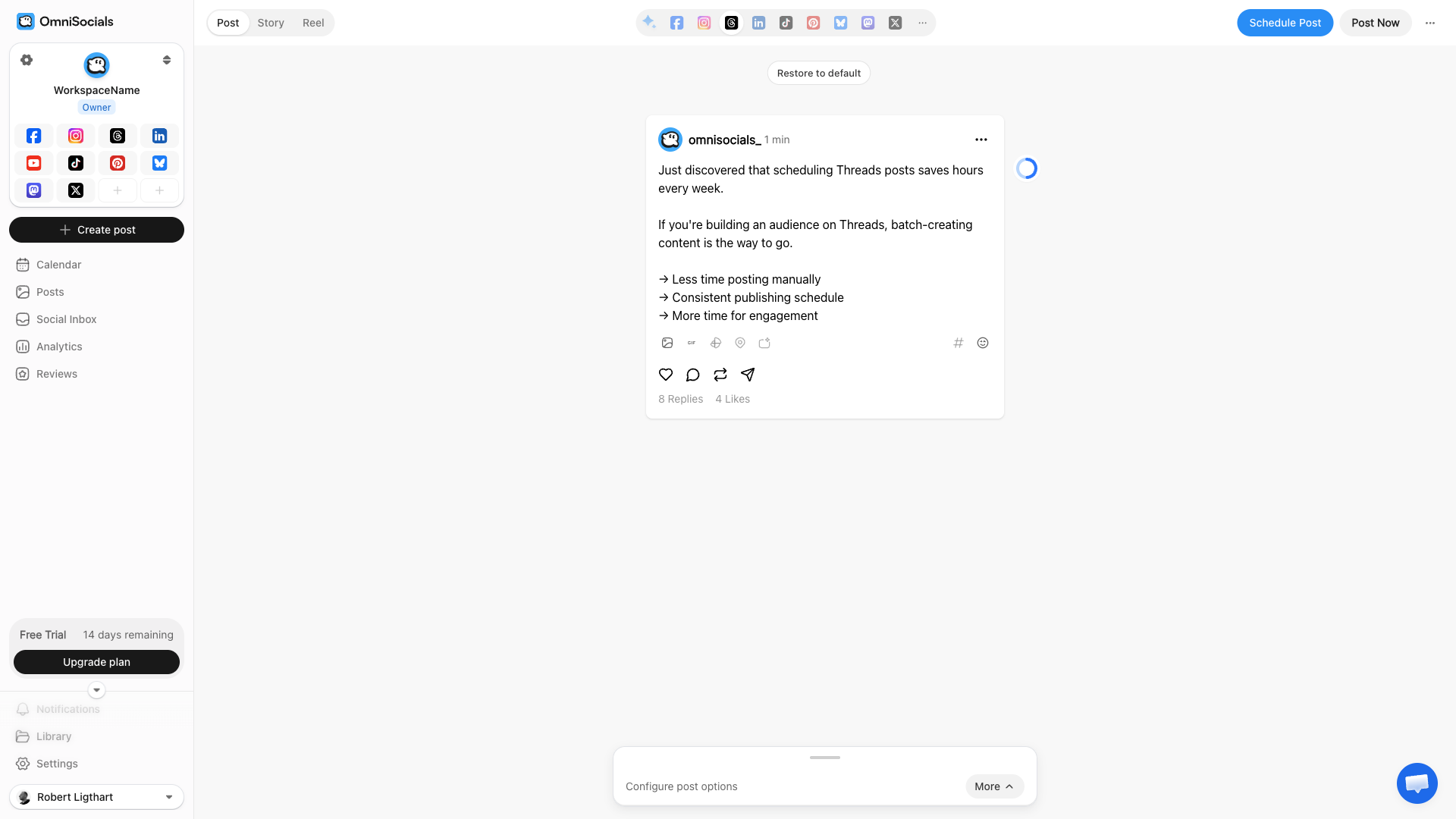
Write your Threads post in the scheduling tool's editor. Most tools show a live preview so you can see exactly how it'll look.
You can add:
- Text posts up to 500 characters
- Images (up to 10 in a carousel)
- Links with auto-generated previews
- Cross-platform posts to publish the same content to Instagram, X, or other platforms simultaneously
3. Pick your publish time
Choose when you want the post to go live. Some tools suggest optimal times based on your audience activity. If you're just starting out, check the best times section later in this article.
You can also add posts to a queue. Most tools let you set recurring time slots so you just write the post and it goes out at the next available slot.
4. Review and schedule
Double-check the content and time. Watch the time zone settings. Then hit schedule.
The tool handles the rest. It publishes automatically through the Threads API at the exact time you picked.
7 Best Threads Scheduling Tools
I tested each of these with a real Threads account. Here's what I found.
#1 - OmniSocials
OmniSocials is the best value option for scheduling Threads posts. You get 11 platforms for a flat $10/mo with no per-channel fees.
The visual editor is clean and shows a real-time Threads preview while you compose. You can write one post and publish it to Threads, Instagram, Bluesky, X, LinkedIn, and 6 other platforms at the same time.
What I particularly like about OmniSocials is the unified inbox. Threads comments, Instagram DMs, and X mentions all show up in one stream. For anyone managing multiple platforms, this saves a lot of tab-switching.
Key Features
- 11 platform support including Threads, Bluesky, Mastodon, and all the major networks
- Visual post editor with per-platform previews
- Unified inbox for all your social messages
- Media library with built-in Pexels and Unsplash access
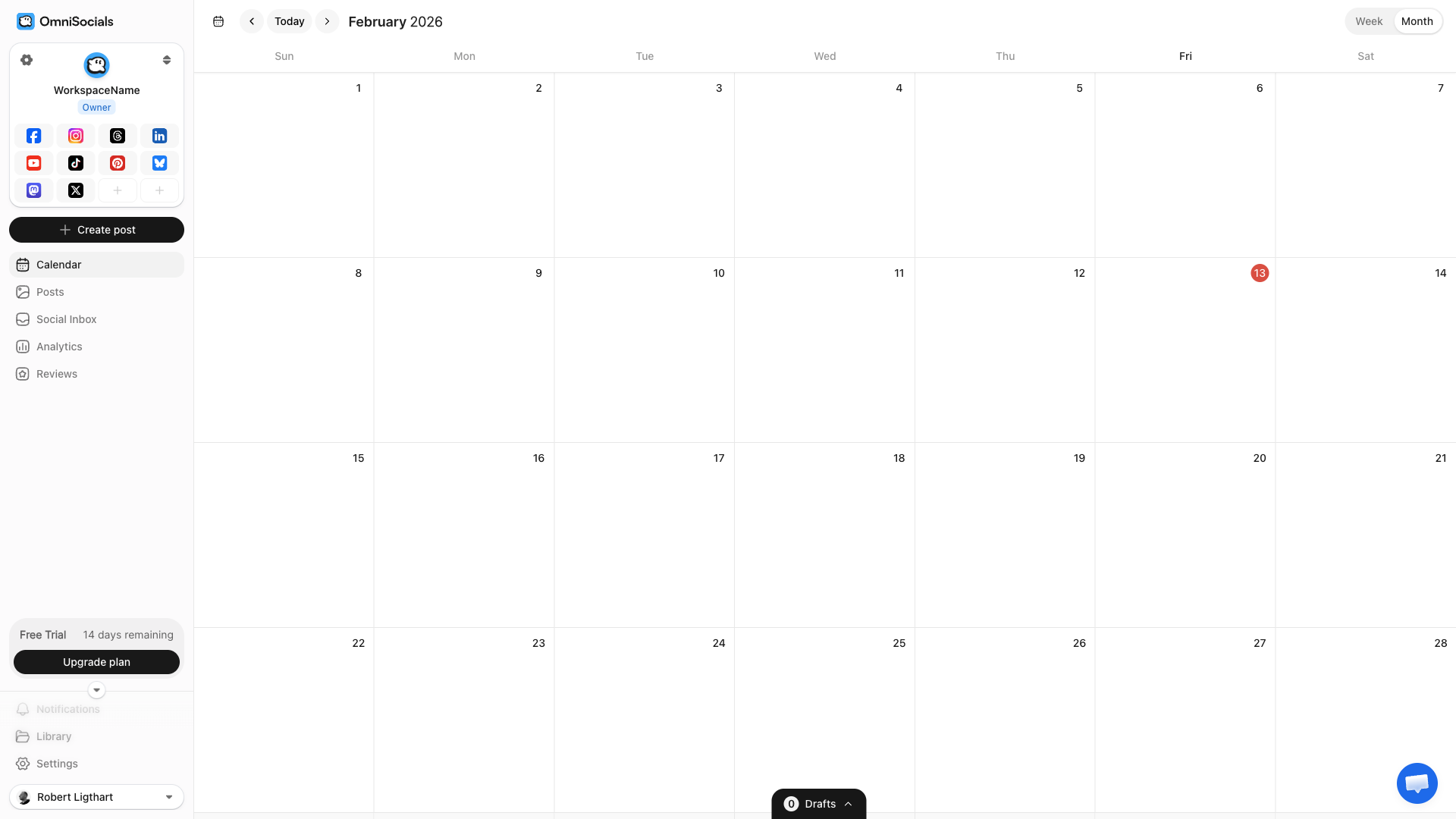
- Calendar view for planning content across platforms
- Approval workflows for client or team review
Pros
- Flat $10/mo regardless of how many platforms you connect
- Clean, fast interface with minimal learning curve
- Supports newer platforms that most tools skip (Bluesky, Mastodon)
- 14-day free trial
Cons
- Newer product, smaller user community than established tools
- Analytics are improving but not yet as deep as Metricool or Sprout Social
Pricing
$10/mo (annual) or $12/mo (monthly). 14-day free trial.
#2 - Buffer
Buffer is one of the most recognized names in social media scheduling. They added Threads support in late 2024 and the integration has been stable since.
Their free plan gives you 3 channels with up to 10 scheduled posts per channel. That's enough to test Threads scheduling without paying anything.
The interface is intentionally simple. If you've never used a scheduling tool before, Buffer is probably the easiest starting point.
Key Features
- Clean, minimal UI that's easy to learn
- Free plan with 3 channels and 10 posts each
- AI assistant for caption suggestions
- Link in bio page builder (Start Page)
- Basic analytics on paid plans
Pros
- Genuinely useful free plan
- One of the easiest tools to learn
- Reliable Threads publishing
- Good mobile app
Cons
- Per-channel pricing adds up fast ($6/channel/mo on paid plans)
- Analytics only available on paid plans
- No unified inbox
- Lacks advanced features like bulk scheduling and content recycling
Pricing
Free plan available. Paid plans start at $6/channel/mo. 5 channels = $30/mo, 10 channels = $60/mo.
#3 - Later
Later started as an Instagram-first scheduling tool, so the Instagram + Threads combo is where they shine.
Their visual content calendar is excellent. You drag and drop posts to reschedule them, and the grid planner shows exactly how your Instagram feed will look. Threads posts can be scheduled alongside your Instagram content from the same view.
If your strategy is built around Instagram with Threads as a secondary channel, Later is a strong fit.
Key Features
- Visual content calendar with drag-and-drop
- Instagram grid planner for feed aesthetics
- Linkin.bio for driving traffic from Instagram
- User-generated content tools for collecting and reposting
- Hashtag suggestions powered by analytics
Pros
- Best visual planning experience for Instagram + Threads
- Strong media management and content library
- Good analytics on Instagram performance
- Linkin.bio is one of the better link-in-bio tools
Cons
- Focused heavily on Instagram. Other platforms feel like add-ons.
- Pricing starts at $25/mo, which is steep if you only need scheduling
- Limited features for non-visual platforms (X, LinkedIn)
- No social inbox
Pricing
Starts at $25/mo (Starter). Growth plan is $45/mo. Advanced is $80/mo.
#4 - Hootsuite
Hootsuite is the enterprise standard. It does everything. Threads scheduling, team collaboration, social listening, advanced analytics, ad management.
But that power comes at a price. Plans start at $99/mo and the interface can feel overwhelming if you just need to schedule a few Threads posts.
If you're running a large team or managing social for multiple brands, Hootsuite's workflow tools justify the cost. For solo users and small teams, it's overkill.
Key Features
- Comprehensive platform covering scheduling, monitoring, ads, and reporting
- Team collaboration with approval workflows and task assignments
- Social listening for brand mentions and keywords
- OwlyWriter AI for content generation
- Canva integration built into the composer
Pros
- Supports almost every social platform including Threads
- Advanced team features and permissions
- Deep analytics and custom reporting
- Excellent for agencies managing many client accounts
Cons
- $99/mo minimum is expensive for small teams
- Interface is cluttered and has a steep learning curve
- Per-user pricing on top of the base plan for teams
- Many features locked behind higher tiers
Pricing
Professional plan starts at $99/mo (1 user, 10 social accounts). Team plan is $249/mo (3 users). Enterprise pricing is custom.
#5 - Metricool
Metricool is the tool to pick if analytics matter more to you than anything else.
Their Threads analytics go deeper than most competitors. You get engagement rate breakdowns, follower growth charts, best posting time suggestions based on your actual data, and competitor benchmarking.
The scheduling interface is straightforward. Not the most polished, but functional. Where Metricool really separates itself is the data it gives you after you post.
Key Features
- Deep analytics across all platforms including Threads
- Competitor analysis to benchmark your performance
- Best time to post based on your audience data
- Hashtag tracker for monitoring hashtag performance
- Ad management for Meta and Google ads
- SmartLinks bio link tool
Pros
- Best analytics of any mid-priced tool
- Competitor benchmarking included on all paid plans
- Free plan available (limited but useful)
- Strong reporting for client presentations
Cons
- UI is functional but not as polished as Buffer or Later
- Free plan is very limited (1 brand, basic features)
- Scheduling features are solid but not innovative
- Learning curve for the analytics dashboard
Pricing
Free plan available. Starter at $22/mo. Growth at $54/mo. Business plans available for agencies.
#6 - Publer
Publer is a budget-friendly option with a few standout features that larger tools don't offer.
The bulk scheduling feature is particularly useful. You can upload a CSV of posts and schedule weeks of Threads content in minutes. They also have content recycling, which automatically re-queues your best posts.
For the price ($12/mo), you get a lot of functionality.
Key Features
- Bulk scheduling via CSV upload
- Content recycling for evergreen posts
- Auto-scheduling fills your calendar with optimal times
- Workspaces for managing multiple brands
- Browser extension for quick sharing
- Canva integration for creating visuals
Pros
- Affordable at $12/mo
- Bulk scheduling saves serious time
- Content recycling is great for evergreen content
- Generous free plan (3 social accounts, basic scheduling)
Cons
- Interface feels dated compared to Buffer or Later
- Analytics are basic on lower plans
- No unified social inbox
- Fewer integrations than larger competitors
Pricing
Free plan available (3 accounts). Professional at $12/mo (up to 10 accounts). Business at $21/mo.
#7 - Sprout Social
Sprout Social is the Rolls-Royce of social media management. The analytics, the CRM features, the social listening, the reporting. It's all top-tier.
But the pricing reflects that. Plans start at $199/mo per seat. If you're a solo founder or small team, this is not the tool for you.
If you're an agency managing enterprise clients who need detailed ROI reports and social CRM integration, Sprout Social is the gold standard.
Key Features
- Social CRM linking social interactions to customer profiles
- Advanced reporting with custom dashboards and export
- Social listening with sentiment analysis
- Smart inbox with automated routing and tagging
- Advocacy tools for employee social sharing
- Chatbot builder for automated responses
Pros
- Most comprehensive analytics and reporting available
- Social CRM is unique and powerful
- Excellent customer support
- Best-in-class social listening
Cons
- $199/mo per seat. A team of 3 costs $597/mo.
- Overkill for small businesses and solo users
- Steep learning curve
- Some features feel like they exist to justify the price
Pricing
Standard at $199/seat/mo. Professional at $299/seat/mo. Advanced at $399/seat/mo. Enterprise pricing is custom.
Best Times to Post on Threads
Threads is still young, so timing data is less established than Instagram or X. But early patterns are emerging.
Based on data from our best time to post guide and SocialPilot's analysis:
| Day | Best Times (ET) |
|---|---|
| Monday | 8-10 AM, 6-8 PM |
| Tuesday | 9-11 AM, 7-9 PM |
| Wednesday | 10 AM-12 PM (peak day) |
| Thursday | 8-10 AM, 6-8 PM |
| Friday | 9-11 AM |
| Saturday | 10 AM-12 PM |
| Sunday | 5-7 PM |
Wednesday and Thursday mornings consistently show the highest engagement. This lines up with Instagram patterns, which makes sense since the audiences overlap significantly.
Evenings between 6-8 PM are a strong secondary window on weekdays.
These are aggregate numbers. After 2-3 weeks of posting, check your own analytics to find when your specific audience is most active. Metricool and Sprout Social both offer personalized best-time suggestions.
3 Threads Scheduling Tips
Match the tone
Threads has a more conversational vibe than Instagram. The audience skews toward text-first discussion rather than polished visuals. Your scheduled posts should reflect that.
Don't just repurpose Instagram captions as Threads posts. Write for the platform. Ask questions. Share opinions. Start conversations.
Don't over-post
Threads' feed blends algorithmic and chronological signals. Posting too often can hurt rather than help. The engagement data so far suggests 1-3 posts per day is a good range.
Space your scheduled posts at least 3-4 hours apart.
Use cross-posting strategically
Most scheduling tools let you publish to Threads and Instagram simultaneously. You can also cross-post to Bluesky and Mastodon from the same tool. This is convenient, but use it carefully.
The same post can work on both platforms, but often a slight tweak makes a big difference. Threads posts can be more casual, more opinionated, and more text-heavy than Instagram captions.
If your scheduling tool supports per-platform text customization, use it.
So, What Is the Best Threads Scheduler?
It depends on what you need.
OmniSocials is the best option for most users. You get 11 platforms for $10/mo, including Threads, Bluesky, and Mastodon. If you're managing multiple social accounts and want one tool that covers everything without per-channel fees, it's hard to beat on value.
If you're on a tight budget, Buffer's free plan works well for getting started with Threads scheduling. Three channels, 10 posts each, no cost.
For Instagram + Threads users who care about visual planning, Later is the strongest choice. Their visual calendar and grid planner are excellent.
If analytics are your priority, Metricool gives you the deepest performance data at a reasonable price. Their competitor benchmarking is a nice bonus.
Hootsuite and Sprout Social are enterprise tools. They do everything, but they cost $99/mo and $199/mo respectively. Only worth it if you need team workflows, social listening, or advanced reporting.
Publer is a solid budget pick at $12/mo, especially if you do a lot of bulk scheduling or content recycling.
Frequently Asked Questions
Can you schedule Threads posts?
Yes, but not natively inside the Threads app. You need a third-party scheduling tool like OmniSocials, Buffer, Later, or Hootsuite. These tools connect to Threads through Meta's API and publish posts automatically at your scheduled time.
Does Threads have a built-in scheduler?
No. As of February 2026, Threads does not have a native scheduling feature. Meta has not announced plans to add one. You need to use a third-party tool to schedule Threads posts in advance.
What is the best free Threads scheduler?
Buffer offers a free plan that includes Threads scheduling for up to 3 channels with 10 posts per channel. OmniSocials offers a 14-day free trial with full access to all 11 platforms including Threads.
Can I cross-post from Instagram to Threads?
Some scheduling tools let you publish the same post to both Instagram and Threads simultaneously. OmniSocials, Buffer, and Later all support cross-posting between the two platforms from a single compose window.
What is the best time to post on Threads?
Based on early engagement data, the best times to post on Threads are weekday mornings between 8-10 AM and evenings between 6-8 PM in your audience's time zone. Wednesday and Thursday tend to see the highest engagement.