9 Best Buffer Alternatives in 2026 (Tested and Compared)
Buffer is a solid tool if you only manage a couple of social media accounts. The moment you add a third, fourth, or fifth channel, the math stops working.
Buffer charges $5 per channel per month on its Essentials plan. Five channels runs you $25/mo. Eight channels hits $40/mo. If you need the Team plan with approval workflows, double those numbers to $10 per channel. A small team managing 8 platforms on the Team plan pays $80/mo for what some tools offer at a flat rate.
I've spent the past few weeks testing 9 Buffer alternatives side by side, focusing on pricing transparency, platform coverage, analytics depth, and how each tool handles the platforms that matter in 2026.
Why People Switch from Buffer
Buffer's per-channel pricing is the #1 reason people leave. It's fine at 1-3 channels. It's painful at 5+. And for agencies or freelancers managing multiple brands, the per-channel model becomes a dealbreaker fast.
Here's what drives the switch.
The per-channel cost compounds quickly. Buffer's free plan gives you 3 channels with 10 posts each. That's genuinely useful. But the second you need unlimited scheduling or analytics, you're paying per channel. Managing 10 channels on Essentials costs $50/mo. On Team, that's $100/mo. Several tools on this list give you unlimited channels for less than Buffer charges for five.
Analytics are basic. Buffer added analytics improvements over the years, but the reporting still lags behind tools like SocialBee, Agorapulse, and Sprout Social. On the free plan, analytics are almost nonexistent. Even on Essentials, you get surface-level engagement metrics without the competitive benchmarking or cross-channel insights that other tools include at similar price points.
No social inbox. Buffer doesn't have a unified inbox for managing comments, DMs, and mentions across platforms. If engagement management is part of your workflow, you need a separate tool or a Buffer alternative that includes one.
Limited platform support for newer networks. Buffer added Bluesky support, which is great. But it still doesn't support Mastodon or Google Business Profile. If you need to post across all the platforms your audience uses, Buffer's channel list has gaps.
No API access for new developers. Buffer paused new API partner signups in 2023. If you need to post programmatically from your own code, Buffer's API is no longer an option for new projects. If you need programmatic posting, consider tools like OmniSocials that offer open API access.
Quick Comparison: All 9 Buffer Alternatives
| Tool | Starting Price | Pricing Model | Platforms | Free Plan | Best For |
|---|---|---|---|---|---|
| OmniSocials | $10/mo | Flat rate | 11 | 14-day trial | Best value overall |
| SocialBee | $29/mo | Flat rate | 9 | 14-day trial | Content recycling |
| Pallyy | $13.50/mo | Per social set | 8+ | Yes (1 set) | Visual content creators |
| Publer | $12/mo | Per account | 9+ | Yes (3 accounts) | Free plan users |
| Later | $25/mo | Flat rate | 6 | Limited free plan | Instagram & TikTok |
| SocialPilot | $30/mo | Flat rate | 9 | 14-day trial | Agencies & bulk scheduling |
| Planable | $39/mo | Per workspace | 8 | Yes (50 posts) | Team collaboration |
| Hootsuite | $99/mo | Flat rate | 10 | None | Legacy enterprise users |
| Sprout Social | $199/seat/mo | Per seat | 8+ | 30-day trial | Enterprise analytics |
Now let's get into the details.
1. OmniSocials: Best Overall Buffer Alternative
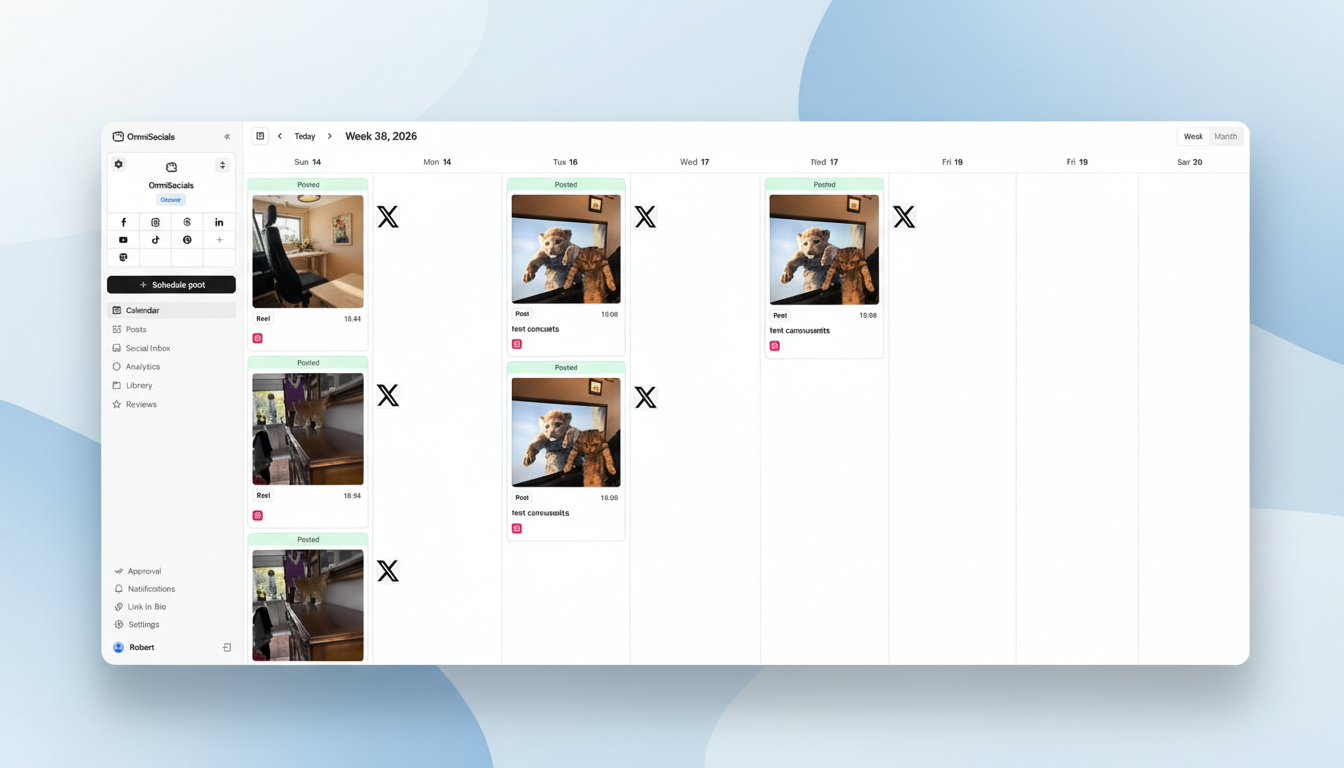
[Screenshot: OmniSocials dashboard with visual post editor and multi-platform preview]
OmniSocials is the best Buffer alternative if you're tired of paying more every time you add a channel.
At $10/mo flat (annual billing) or $12/mo monthly, you get access to 11 platforms: Instagram, Facebook, LinkedIn, YouTube, TikTok, X, Pinterest, Bluesky, Threads, Mastodon, and Google Business Profile. Unlimited posts. No per-channel fees. No feature gates.
Compare that to Buffer: managing the same 11 channels on Buffer's Essentials plan costs $55/mo. On the Team plan, $110/mo. OmniSocials gives you all 11 for $10.
The visual post editor lets you customize content for each platform from a single screen, with real previews of how your post will look on Instagram vs. LinkedIn vs. Bluesky. Buffer's editor is clean, but it doesn't offer the same level of per-platform customization.
OmniSocials also includes a unified social inbox for DMs and comments. Something Buffer still doesn't have.
Key features:
- 11 platforms from one dashboard with unlimited scheduling
- Visual post editor with per-platform customization and preview
- Unified social inbox for DMs and comments across all platforms
- Media library with Pexels and Unsplash built in
- Approval workflows for team and client review
- Thread scheduling for Bluesky, X, and Threads
Pros:
- Flat pricing that doesn't penalize you for adding channels
- Supports platforms Buffer doesn't (Mastodon, Google Business Profile)
- Clean, modern interface that's easy to learn from day one
- Social inbox included at no extra cost
Cons:
- Newer platform, so fewer third-party integrations than Buffer
- Analytics are solid but not as deep as Sprout Social
- No content recycling features like SocialBee
Pricing: $10/mo (annual) or $12/mo (monthly). 14-day free trial.
Verdict: If per-channel pricing is the reason you're looking for a Buffer alternative, OmniSocials is the most direct fix. More platforms, a social inbox, and predictable pricing at a fraction of what Buffer costs for multi-channel management.
Want to test it? Try OmniSocials free for 14 days. Connect all 11 platforms in under 5 minutes.
2. SocialBee: Best for Content Recycling and Evergreen Posts
[Screenshot: SocialBee content categories with automated recycling schedule]
SocialBee is the best Buffer alternative if you rely on evergreen content and want to automate your posting schedule without manually rescheduling the same posts.
Buffer treats every post as a one-time event. You create it, schedule it, it goes out, it's done. SocialBee takes a different approach with content categories. You create buckets like "tips," "promotional," "curated," and "behind the scenes," assign each category a schedule, and SocialBee automatically cycles through your posts. Your content calendar is never empty.
The AI copilot is one of the better AI implementations I've seen in a scheduling tool. It generates post variations, suggests hashtags, and can draft entire content calendars based on your niche. Not a gimmick.
Key features:
- Content categories with automated recycling schedules
- AI copilot for post generation and content strategy
- Visual calendar with drag-and-drop
- Canva and Unsplash integrations
- RSS feed auto-posting
- Hashtag collections for quick tagging
Pros:
- Best content recycling system on the market
- AI copilot saves real time on content creation
- Flat pricing, no per-channel fees
- Solid analytics on all plans
Cons:
- $29/mo starting price is higher than simpler tools
- Interface has a steeper learning curve than Buffer
- Overkill if you don't use content recycling
Pricing: From $29/mo (Bootstrap plan). 14-day free trial.
Verdict: If you create a library of evergreen content and hate manually re-scheduling posts, SocialBee pays for itself. The content category system is something Buffer simply doesn't offer.
3. Pallyy: Best Budget Buffer Alternative for Visual Content
[Screenshot: Pallyy visual feed planner with Instagram grid preview]
Pallyy is the best Buffer alternative for content creators who focus on visual platforms and want something affordable.
Starting at $13.50/mo per social set, Pallyy gives you a visual feed planner, Instagram grid preview, and built-in analytics. The drag-and-drop grid planner lets you see exactly how your Instagram feed will look before anything goes live. For brands that care about visual consistency, this feature alone justifies the switch from Buffer.
Pallyy also includes a social inbox and basic analytics, both of which Buffer either lacks or charges extra for per channel.
Key features:
- Visual feed planner with Instagram grid preview
- Social inbox for comments and DMs
- Post recycling for evergreen content
- AI-powered caption generation
- Built-in analytics and reporting
- Free plan with 1 social set and 15 posts/month
Pros:
- Affordable starting price for what you get
- Instagram grid preview is excellent for visual brands
- Social inbox included (Buffer doesn't have one)
- Genuinely useful free plan for testing
Cons:
- Per-social-set pricing means costs grow as you add profiles
- Additional users cost $26.10/mo each
- Fewer platforms supported than OmniSocials or SocialBee
- Less well-known, so community and resources are smaller
Pricing: Free (1 social set, 15 posts/mo) / From $13.50/mo per social set.
Verdict: Pallyy is a great pick for solo creators focused on Instagram and visual content. The grid preview is better than anything Buffer offers. Just watch the per-set pricing if you manage multiple brands.
4. Publer: Best Free Buffer Alternative
[Screenshot: Publer dashboard showing scheduled posts across multiple platforms]
Publer is the best Buffer alternative if you want a generous free plan that doesn't feel like a trial with a countdown timer.
Publer's free plan gives you 3 social accounts with 10 scheduled posts each. That matches Buffer's free plan. But Publer's free tier also includes basic analytics, post recycling, and a link-in-bio tool. Buffer's free plan gives you scheduling and not much else.
On paid plans, Publer starts at $12/mo for the Professional tier with unlimited scheduling across all supported platforms. The Business plan at $21/mo adds analytics, team members, and priority support.
Key features:
- Free plan with 3 accounts and basic analytics
- Bulk scheduling via CSV upload
- Auto-scheduling with optimal time suggestions
- Link-in-bio page builder
- Watermark tool for images
- Google Business Profile support
Pros:
- Free plan is more feature-rich than Buffer's
- Affordable paid plans starting at $12/mo
- Supports Google Business Profile (Buffer doesn't)
- Bulk scheduling saves time for batch creators
Cons:
- Per-account pricing on paid plans can add up
- Interface feels less polished than Buffer or OmniSocials
- Smaller platform, less community support
- Every 10th social account is free, but that's still per-account pricing
Pricing: Free (3 accounts) / Professional from $12/mo / Business from $21/mo.
Verdict: If you love Buffer's simplicity but want more from the free plan, Publer is the closest match. The free tier is genuinely useful, and the paid plans undercut Buffer's per-channel math.
5. Later: Best for Instagram and TikTok Creators
[Screenshot: Later visual content calendar with Instagram feed preview]
Later is the best Buffer alternative if your strategy centers on Instagram and TikTok.
Later was built as an Instagram-first scheduler, and it still shows. The visual content calendar lets you drag and drop images to plan your grid layout before anything goes live. TikTok support is strong too, with video scheduling, previews, and performance tracking from the same dashboard.
At $25/mo, Later is pricier than Buffer for a single channel. But the visual planning tools, Linkin.bio feature, and best-time-to-post suggestions give you more value per dollar if Instagram and TikTok are your primary channels.
Key features:
- Visual content calendar with Instagram grid preview
- TikTok scheduling with video preview
- Linkin.bio landing page tool
- Best time to post suggestions based on your data
- User-generated content discovery
- Hashtag suggestions and analytics
Pros:
- Best Instagram scheduling experience available
- Strong TikTok support with video preview
- Linkin.bio drives real traffic from Instagram profiles
- Visual planning tools keep your brand consistent
Cons:
- $25/mo is steep if you don't prioritize Instagram/TikTok
- Weaker on non-visual platforms (LinkedIn, X)
- Free plan is very restrictive (5 posts per profile/mo)
- Fewer total platforms than OmniSocials or SocialBee
Pricing: Limited free plan / From $25/mo (Starter plan). 14-day free trial on paid plans.
Verdict: If Instagram and TikTok are where your audience lives, Later is the specialist tool built for you. For broader multi-platform scheduling, other tools on this list offer better value.
6. SocialPilot: Best Buffer Alternative for Agencies
[Screenshot: SocialPilot bulk scheduling interface with CSV upload]
SocialPilot is the best Buffer alternative for agencies and freelancers who manage content for multiple clients.
The headline feature is bulk scheduling. Upload up to 500 posts at once via CSV. If you plan content monthly for several clients and want to load everything in one sitting, this feature saves hours of work every week. Buffer has no bulk upload.
White-label reports are available on the Agency plan. Brand the reports with your logo, customize the layout, and send them directly to clients. Buffer doesn't offer white-label reporting at any price tier.
Key features:
- Bulk scheduling (up to 500 posts via CSV)
- White-label PDF reports
- Client management dashboard
- Content curation and RSS feeds
- Team collaboration with approval workflows
- Social inbox for comments and messages
Pros:
- Best bulk scheduling capability in the category
- White-label reporting at a reasonable price
- Flat pricing, no per-channel fees
- Good client management features
Cons:
- Interface is functional but not as clean as Buffer
- Analytics are decent but not standout
- White-label only on the Agency plan ($100/mo)
- Mobile app could use improvement
Pricing: From $30/mo (Professional plan). 14-day free trial.
Verdict: SocialPilot is the agency pick. If you manage content for clients, the bulk scheduling and white-label reporting justify the price. Solo creators will find simpler tools on this list.
7. Planable: Best for Team Collaboration and Approvals
[Screenshot: Planable content approval workflow with team comments]
Planable is the best Buffer alternative if content approvals and team collaboration are your biggest pain points.
Buffer added approval workflows on its Team plan ($10/channel/mo), but they're basic. Planable was built from the ground up for content teams. Every post gets a visual preview of exactly how it will look on each platform. Team members leave comments directly on the post, suggest edits, and approve or reject with one click.
The real-time collaboration is similar to how Google Docs works. Multiple team members can edit the same post simultaneously, see each other's changes, and resolve comments in context.
Key features:
- Visual post previews for every platform
- Real-time team collaboration (Google Docs-style)
- Multi-level approval workflows
- Content calendar with drag-and-drop
- Separate workspaces for different brands/clients
- Free plan with 50 total posts (no time limit)
Pros:
- Best approval workflow of any tool on this list
- Visual previews build client confidence
- Real-time collaboration eliminates back-and-forth
- Free plan lets you test without pressure
Cons:
- $39/workspace/mo is expensive for solo users
- Per-workspace pricing adds up for agencies with many clients
- Analytics and engagement require paid add-ons ($14/mo and $9/mo)
- Scheduling features are less robust than dedicated schedulers
Pricing: Free (50 total posts) / Basic from $39/workspace/mo / Pro from $59/workspace/mo.
Verdict: Planable is the approval tool. If your workflow involves clients, managers, or legal reviewing every post before it goes live, Planable does it better than Buffer. If you just need to schedule posts, it's overkill.
8. Hootsuite: Best for Legacy Enterprise Users
[Screenshot: Hootsuite streams dashboard with multiple social feeds]
Hootsuite is the most well-known name on this list and the tool most people think of when they picture social media management. But in 2026, it's hard to recommend over most other options here.
Starting at $99/mo for the Professional plan, Hootsuite offers 10 social accounts and 1 user. That's more expensive than every other tool on this list except Sprout Social. The free plan was removed in 2023, and prices have climbed steadily since.
Where Hootsuite still has an edge: integrations. Hootsuite's app directory has hundreds of third-party integrations. If you need to connect your social media workflow to a CRM, project management tool, or analytics platform, Hootsuite probably has a connector for it.
Key features:
- Streams-based dashboard for monitoring multiple feeds
- Extensive app directory with hundreds of integrations
- Advanced scheduling with bulk composer
- Social listening (on higher plans)
- Team collaboration with assignment workflows
- OwlyWriter AI for content generation
Pros:
- Largest third-party integration ecosystem
- Social listening on higher-tier plans
- Strong brand recognition and established track record
- OwlyWriter AI generates decent content suggestions
Cons:
- $99/mo starting price is steep for what you get
- No free plan (removed in March 2023)
- UI feels dated compared to modern alternatives
- October 2025 layoffs (20% of workforce) raised stability concerns
Pricing: From $99/mo (Professional plan). No free plan. 30-day trial available.
Verdict: Hootsuite still works for large organizations locked into its ecosystem. For everyone else, there are better, cheaper options on this list. For a full breakdown, check our Hootsuite pricing analysis.
9. Sprout Social: Best for Enterprise Analytics
[Screenshot: Sprout Social analytics dashboard with cross-channel reporting]
Sprout Social is the most powerful tool on this list. It's also the most expensive by a wide margin.
At $199/seat/mo, Sprout Social is built for enterprise teams that need deep analytics, social listening, employee advocacy tools, and presentation-ready reporting. If your company has a dedicated social media team with a real budget, Sprout delivers insights that no other tool on this list can match.
The analytics suite is genuinely best-in-class. Cross-channel reports, competitive benchmarking, sentiment analysis, and PDF exports that go straight to leadership without additional formatting.
Key features:
- Advanced analytics with cross-channel reporting
- Social listening and sentiment analysis
- Employee advocacy platform
- Smart inbox with chatbot integration
- Competitive benchmarking against industry peers
- CRM integrations (Salesforce, HubSpot, Microsoft Dynamics)
Pros:
- Deepest analytics and reporting available
- Social listening features are genuinely powerful
- Enterprise-grade security and compliance
- Excellent customer support
Cons:
- $199/seat/mo makes it the most expensive option by far
- Per-seat pricing punishes growing teams
- Overkill for small businesses and solopreneurs
- Contract terms can be rigid on annual plans
Pricing: From $199/seat/mo (Standard plan). 30-day free trial.
Verdict: Sprout Social is the enterprise tier. If you have the budget and need analytics depth that goes beyond what any mid-range tool can deliver, it's worth it. If you don't have a $200+/mo budget per user, the other 8 tools on this list will serve you better. For more details, see our Sprout Social pricing breakdown.
Which Buffer Alternative Is Right for You?
The best choice depends on what you need. Here's a quick framework.
If per-channel pricing is your main frustration: OmniSocials ($10/mo for 11 platforms) fixes the core problem. Flat pricing, no per-channel fees, more platforms than Buffer, and a social inbox included. It's the most direct Buffer replacement on this list.
If you rely on evergreen content: SocialBee ($29/mo) automates content recycling with category-based scheduling. Buffer makes you manually reschedule. SocialBee does it automatically.
If you need a free plan: Publer has the most feature-rich free tier. Buffer's free plan is fine for 3 channels, but Publer adds analytics, post recycling, and a link-in-bio tool at no cost.
If you focus on Instagram and TikTok: Later ($25/mo) is the visual-first specialist. The grid preview and Linkin.bio are things Buffer doesn't offer.
If you manage clients: SocialPilot ($30/mo) for bulk scheduling and white-label reports. Planable ($39/workspace/mo) if approval workflows are the priority.
If you're an enterprise team: Sprout Social ($199/seat/mo) is the only option with the analytics depth and social listening features that large organizations require.
For more scheduling options, check our guide to scheduling social media posts and the best free social media schedulers.
If you're specifically comparing Buffer and Hootsuite, see our Hootsuite vs Buffer breakdown. For team-focused alternatives specifically, our Loomly alternatives guide covers the collaboration-first options. And for automation-heavy users coming from Publer, the Publer alternatives comparison is worth reading alongside this one.
Not sure yet? Start a free OmniSocials trial and compare it to Buffer side by side. 14 days, all features unlocked.
Frequently Asked Questions
What is the best free alternative to Buffer?
Publer is the best free Buffer alternative. Its free plan includes 3 social accounts with 10 scheduled posts each, plus basic analytics, post recycling, and a link-in-bio tool. That's more than Buffer's free plan offers. OmniSocials offers a 14-day free trial with full features across 11 platforms if you want to test a more complete tool before committing to a paid plan.
Why is Buffer so expensive for multiple channels?
Buffer uses per-channel pricing at $5/channel/month on the Essentials plan and $10/channel/month on the Team plan. Managing 5 channels costs $25-50/mo depending on the plan. Managing 10 channels costs $50-100/mo. Most alternatives on this list use flat-rate pricing that stays the same regardless of how many channels you connect.
Which Buffer alternative has the best analytics?
Sprout Social has the deepest analytics of any social media tool, with cross-channel reporting, sentiment analysis, and competitive benchmarking. It's also $199/seat/mo. For more affordable analytics, SocialBee and OmniSocials both offer reporting that goes beyond Buffer's basic engagement metrics at a fraction of the price.
Can I switch from Buffer without losing my social accounts?
Yes. Switching social media management tools doesn't affect your actual social media accounts, followers, or post history. You reconnect the same accounts in your new tool. Scheduled posts in Buffer won't transfer automatically, so export or recreate any queued content before making the switch.
Which Buffer alternative doesn't charge per channel?
OmniSocials charges a flat $10/mo for 11 platforms with no per-channel fees. SocialBee ($29/mo) and SocialPilot ($30/mo) also use flat-rate pricing that includes multiple accounts. These are the best options if you want costs that stay predictable as you add more social profiles. See the full OmniSocials vs Buffer comparison for a feature-by-feature breakdown.