How to Schedule Social Media Posts in 2026 (Step by Step)
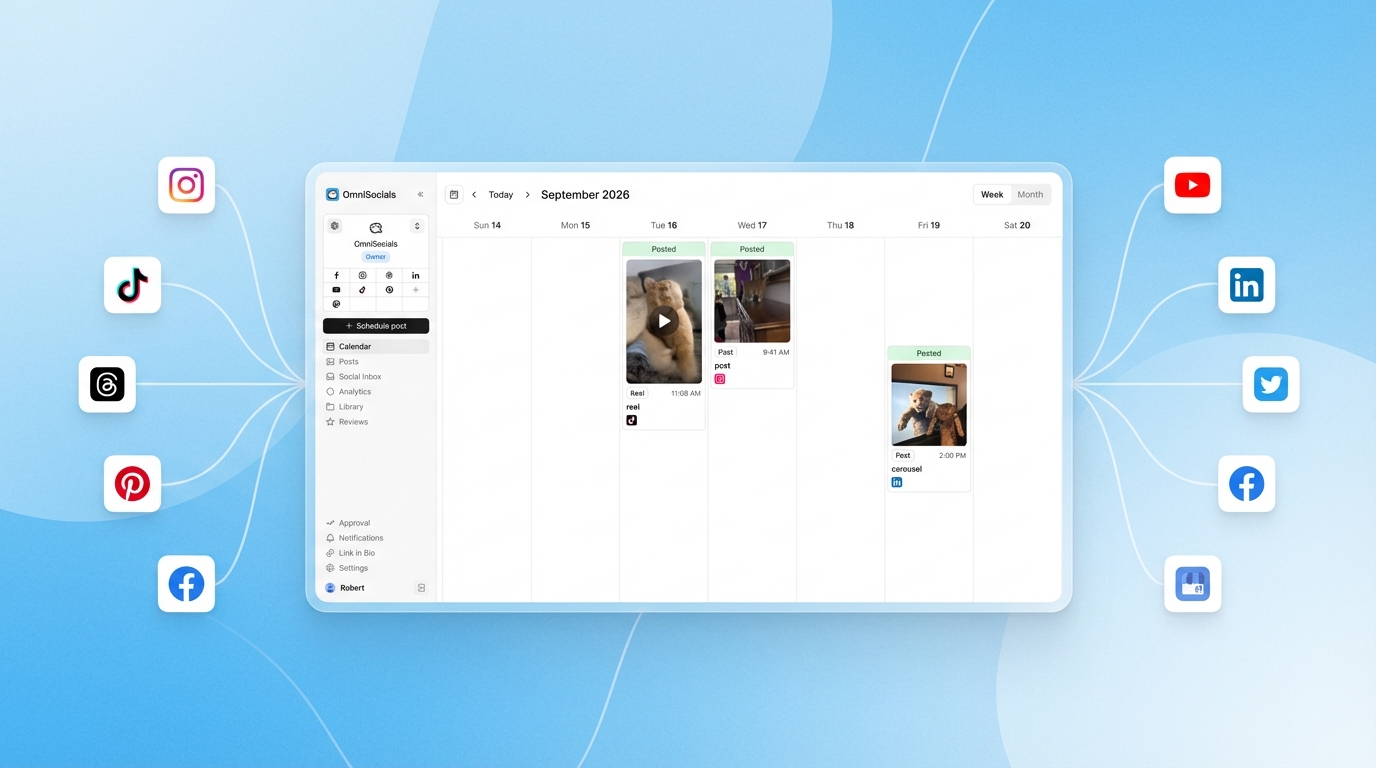
Posting manually to every platform, every day, is a massive time sink.
You open Instagram, write a caption, upload the image, post. Then you switch to LinkedIn, rewrite the caption for a professional audience, upload, post. Then X. Then TikTok. Then Facebook. By the time you're done, you've burned an hour and haven't done any actual work.
Scheduling social media posts in advance can save you 6-10 hours per week (Source: PostEverywhere, 2026). You batch-create your content once, schedule it across every platform, and let the tool handle publishing. Here's exactly how to do it.
What Is Social Media Scheduling?
Social media scheduling is the practice of planning and queuing posts across platforms like Instagram, LinkedIn, and TikTok to publish automatically at set times. Instead of posting manually each day, you create content in bulk, pick your publish times, and let a scheduling tool handle the rest. Most marketers schedule 1-2 weeks of content in a single sitting.
The result: consistent posting without daily effort. And consistency is what drives growth.
Buffer's analysis of 100,000+ users found that consistent posting leads to 5x more engagement (Source: Buffer, 2026). A schedule makes that consistency automatic.
How to Schedule Social Media Posts (5 Steps)
Step 1: Pick Your Platforms and Posting Frequency
You don't need to be on every platform. Pick 2-4 where your audience actually spends time, then commit to a realistic posting frequency.
Here's a starting point that works for most small businesses:
| Platform | Posts Per Week | Best Content Type |
|---|---|---|
| 3-5 feed posts + Stories | Reels, carousels, Stories | |
| 3-5 | Text posts, carousels, articles | |
| TikTok | 3-5 | Short-form video |
| X (Twitter) | 5-10 | Text, threads, quotes |
| 3-5 | Native video, links, images |
Start with what you can maintain. Three posts per week, every week, beats five posts one week and zero the next. You can always increase the volume once you've got a rhythm.
Step 2: Choose a Scheduling Tool
You need a social media scheduling app that connects to your platforms and lets you queue posts. Here are the main options by budget:
Free options:
- Buffer (3 channels, 10 posts per queue)
- Meta Business Suite (Facebook + Instagram only, no limits)
- Metricool (50 posts/month, includes analytics)
Budget option:
- OmniSocials ($10/mo flat, 11 platforms, unlimited posts)
Enterprise:
- Hootsuite ($99/mo+, 10 platforms)
- Sprout Social ($199/mo+, advanced analytics)
The right choice depends on how many platforms you manage and what you're willing to pay. If you're on 2-3 platforms, a free tool works fine. If you're managing 5+ platforms or need features like a unified inbox, a paid tool pays for itself in time saved.
Try OmniSocials free for 14 days → Schedule to 11 platforms from one dashboard.
Step 3: Create Content in Batches
This is the step that saves the most time. Instead of creating one post per day, set aside 2-3 hours once a week to create everything at once.
Here's a batching workflow that works:
- Monday morning: review your content pillars. What topics are you covering this week? Check if there's a trending topic you should address.
- Write all captions first. Don't switch between writing and designing. Write every caption for the week in one session.
- Prepare all visuals. Create images, select video clips, build carousels. Batch similar tasks together.
- Adapt for each platform. A LinkedIn post needs a different tone than an Instagram caption. Adjust before scheduling.
- Load everything into your scheduler. Assign each post to the right platform, date, and time.
I batch-create all content for OmniSocials this way. Two focused hours on Monday morning covers the entire week. The rest of the week, I focus on replies and engagement instead of scrambling to create new posts.
Step 4: Schedule at Optimal Posting Times
When you post matters almost as much as what you post. Posts scheduled at optimal times get 10.3% more engagement than posts published randomly (Source: Xyla, 2026).
Here are the best posting times by platform based on 2026 data:
| Platform | Best Days | Best Times | Source |
|---|---|---|---|
| Wed, Thu | 9 AM, 12 PM, 6 PM | Buffer | |
| Tue-Thu | 10-11 AM | PostEverywhere | |
| TikTok | Wed-Fri | 6-9 PM | RecurPost |
| X (Twitter) | Wed | 9-11 AM | SocialPilot |
| Wed, Thu | 7-9 AM | Research.com |
Important caveat: These are industry averages. Your audience might behave differently. After a few weeks of scheduled posting, check your analytics and adjust based on what actually gets engagement for your account. Our comparison of the best social media analytics tools covers what to look for to track your specific audience data.
Most scheduling tools let you set default posting times per platform. Configure these once, and every post you schedule will default to the right slot.
Step 5: Review Your Queue and Monitor Results
Scheduling isn't "set and forget." Check your queue at least once a week:
- Review upcoming posts for anything that feels outdated or tone-deaf given current events
- Check engagement on recently published posts. What got clicks? What fell flat?
- Adjust posting times if certain slots consistently underperform
- Pause scheduled posts if something unexpected happens (a crisis, a product issue, breaking news)
The goal is to spend 80% less time publishing and reinvest that time into engagement: replying to comments, answering DMs, and interacting with your audience.
Can You Post to All Social Media at Once?
Yes. Most scheduling tools let you create a single post and publish it across multiple platforms simultaneously. Tools like OmniSocials, Buffer, and Hootsuite all support cross-posting.
That said, blindly cross-posting the exact same content everywhere is a mistake. LinkedIn users expect a different tone than Instagram followers. TikTok is video-first. X rewards brevity.
The better approach: create your core message once, then tweak the caption, format, and hashtags for each platform before scheduling. Most tools have a per-platform customization view that makes this easy. Our guide to social media automation covers how to build a sustainable cross-posting workflow.
5 Common Scheduling Mistakes to Avoid
1. Scheduling and forgetting. Check your queue weekly. A post that made sense on Monday might be tone-deaf by Friday if something major happens in your industry.
2. Posting identical content everywhere. Tailor your message per platform. A 150-word LinkedIn insight doesn't work as an Instagram caption.
3. Ignoring your own analytics. Generic "best times to post" guides are a starting point, not gospel. After a month of posting, your data will tell you more than any blog article.
4. Scheduling too far ahead. Stick to 1-2 weeks for most content. Scheduling a month ahead sounds efficient, but your content goes stale and you lose the ability to react to what's happening now.
5. Only scheduling, never engaging. Scheduling frees up time. Use that time to reply to comments, answer DMs, and interact with other accounts. The algorithm rewards conversations, not just broadcasts.
Start scheduling today. OmniSocials: 11 platforms for $10/mo → Unlimited posts, no per-channel fees. Free 14-day trial.
Frequently Asked Questions
How far ahead should I schedule social media posts?
Schedule 1-2 weeks ahead for most content. This gives you enough buffer to stay consistent without posting stale content. Evergreen posts (tips, quotes, educational content) can be scheduled up to a month ahead. Always leave room to post about current events or trending topics in real time.
Does scheduling posts hurt engagement?
No. Scheduled posts perform the same or better than manual posts. A study by Xyla found that Facebook posts scheduled via third-party tools achieved 10.3% more engagement than native posts. The key is scheduling at times when your audience is active and still engaging with comments in real time.
Can I schedule posts to all social media at once?
Yes. Tools like OmniSocials, Buffer, and Hootsuite let you create one post and publish it across multiple platforms simultaneously. Most tools also let you customize the caption per platform before scheduling, so you can tailor the message for each audience.
What is the best time to schedule social media posts?
The best times vary by platform. Instagram performs best on Wednesday and Thursday mornings (9 AM-12 PM). LinkedIn peaks Tuesday-Thursday at 10-11 AM. TikTok works best in the evenings (6-9 PM). Facebook gets highest engagement from 7-9 AM. Check your own analytics for audience-specific data.
How many social media posts should I schedule per week?
A good starting point: Instagram 3-5 posts, LinkedIn 3-5 posts, TikTok 3-5 videos, X 5-10 tweets, Facebook 3-5 posts per week. Consistency matters more than volume. Start with a frequency you can maintain, then increase as you build a content library.