9 Best TikTok Scheduling Tools in 2026 (Tested)
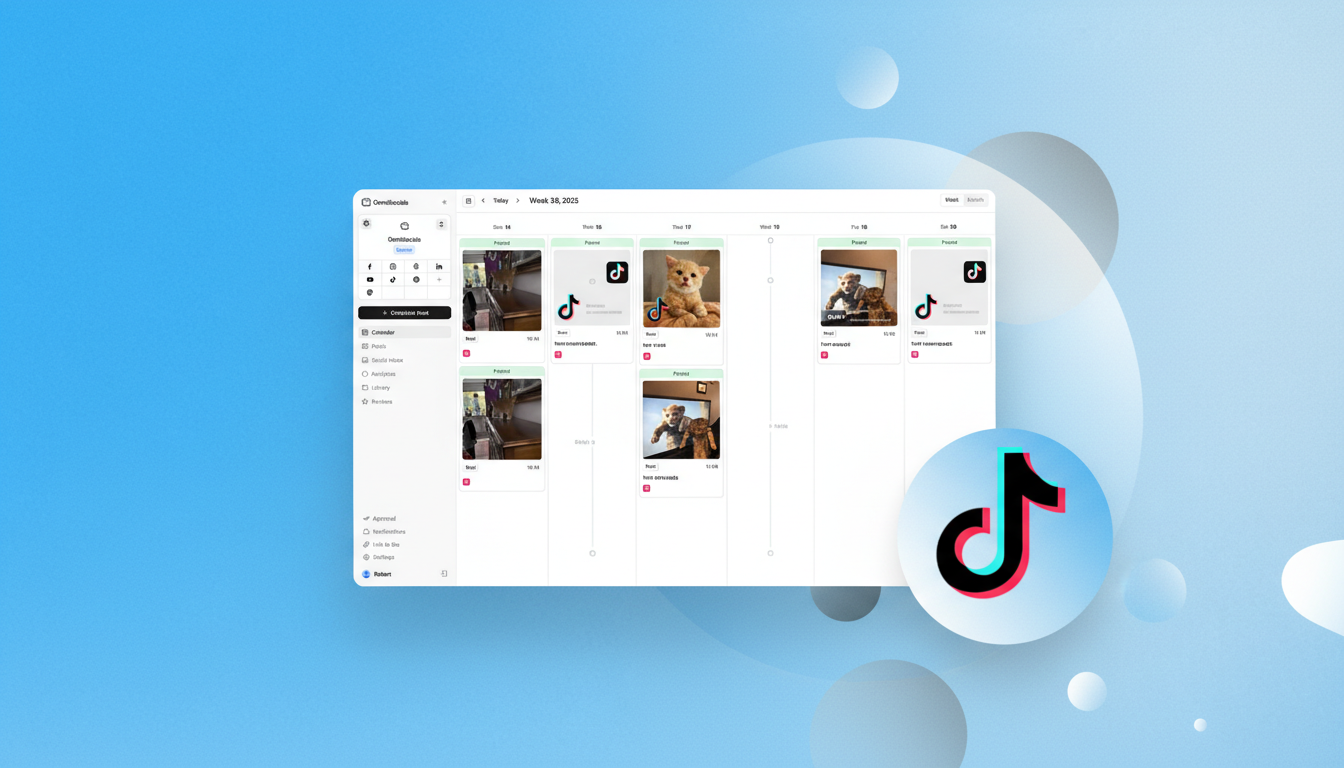
TikTok has a built-in scheduler. It's also frustratingly limited.
TikTok Studio lets you schedule posts on desktop only, with a 10-day scheduling window, no batch upload, no calendar view, and no way to edit a video or caption once it's scheduled. If you post to TikTok more than a couple of times a week, or if you manage TikTok alongside other platforms, you'll outgrow native scheduling fast.
I've tested 9 TikTok scheduling tools that solve these problems. Auto-publishing, calendar views, analytics, cross-platform scheduling, and the ability to plan content weeks or months ahead.
One thing to get out of the way first: scheduling TikTok posts does not hurt your views or engagement. TikTok's algorithm evaluates content quality, watch time, and engagement. It doesn't penalize scheduled content.
Why Use a Third-Party TikTok Scheduler?
TikTok's native scheduler works for occasional posters. For anyone posting consistently, a third-party TikTok post scheduler saves significant time and gives you better tools.
Here's what you gain.
Schedule further ahead. TikTok Studio limits you to 10 days. Third-party tools let you schedule weeks or months in advance. If you batch-create content monthly, that 10-day window is a dealbreaker.
Batch upload. TikTok's native scheduler handles one video at a time. Tools like Publer and SocialPilot let you upload hundreds of videos in a single session via CSV.
Calendar view. TikTok Studio doesn't show a visual calendar of your scheduled content. Every third-party tool on this list does.
Cross-platform posting. If you post the same content to TikTok, Instagram Reels, YouTube Shorts, and other platforms, a multi-platform scheduler saves you from uploading the same video four times.
Analytics. TikTok's built-in analytics are basic. Third-party tools offer deeper reporting, best-time-to-post suggestions, and cross-platform performance comparisons.
Quick Comparison: All 9 TikTok Schedulers
| Tool | Starting Price | TikTok Auto-Publish | Other Platforms | Free Plan | Best For |
|---|---|---|---|---|---|
| OmniSocials | $10/mo | Yes | 11 total | 14-day trial | Best value for multi-platform |
| Later | $25/mo | Yes | 6 total | Limited free | Instagram + TikTok focus |
| SocialBee | $29/mo | Yes | 9 total | 14-day trial | Content recycling |
| Publer | $12/mo | Yes | 9+ total | Yes | Bulk upload & free plan |
| Buffer | Free/$5/ch | Yes | 8+ total | Yes (3 channels) | Simple and free |
| Hootsuite | $99/mo | Yes | 10 total | 30-day trial | Enterprise integrations |
| Pallyy | $13.50/mo | Yes | 8+ total | Yes (1 set) | Visual content creators |
| Planable | $39/mo | Yes | 8 total | Yes (50 posts) | Team approvals |
| Sendible | $25/mo | Yes | 8+ total | 14-day trial | Agencies |
1. OmniSocials: Best TikTok Scheduler for Multi-Platform Teams
[Screenshot: OmniSocials post editor with TikTok video preview and multi-platform scheduling]
OmniSocials is the best TikTok scheduling tool if you manage TikTok alongside multiple other platforms and want one tool that covers everything.
At $10/mo flat, OmniSocials supports 11 platforms including TikTok, Instagram, YouTube, Facebook, LinkedIn, X, Pinterest, Bluesky, Threads, Mastodon, and Google Business Profile. Schedule a TikTok video and cross-post it to Instagram Reels and YouTube Shorts from the same editor. No per-channel fees. No upload limits.
The visual post editor shows a real preview of how your TikTok will look before it goes live. You can customize captions, hashtags, and cover images per platform from a single screen instead of creating separate posts for each network.
Key features:
- TikTok auto-publishing with video preview
- 11 platforms from one dashboard, unlimited scheduling
- Per-platform caption and hashtag customization
- Unified social inbox for TikTok comments and DMs
- Media library with built-in Pexels and Unsplash
- Thread scheduling for multi-part content
Pros:
- Best value: 11 platforms for $10/mo flat
- Cross-post TikTok videos to Instagram Reels and YouTube Shorts instantly
- Clean interface with real video previews
- No per-channel pricing surprises
Cons:
- No TikTok-specific analytics (cross-platform analytics available)
- Newer platform with less brand recognition
- No built-in video editing
- No content recycling features
Pricing: $10/mo (annual) or $12/mo (monthly). 14-day free trial.
Verdict: If you post TikTok content alongside Instagram, YouTube, LinkedIn, and other platforms, OmniSocials gives you the broadest coverage at the lowest price. The flat rate means adding platforms never increases your bill. It's a strong pick for multi-platform creators who want broad coverage without per-channel fees.
Want to try it? Schedule your first TikTok post with OmniSocials. 14-day free trial.
2. Later: Best for Instagram and TikTok Creators
[Screenshot: Later content calendar with TikTok video scheduling and preview]
Later is the best TikTok scheduling tool if TikTok and Instagram are your two primary platforms.
Later built its reputation on Instagram scheduling, and the TikTok support follows the same visual-first approach. You can preview how your TikTok will look, schedule it alongside your Instagram content, and use best-time-to-post suggestions based on your audience data.
The Linkin.bio feature creates a clickable landing page from your content, which works across both TikTok and Instagram. For creators driving traffic to a website or product, this is a meaningful feature that most schedulers don't include.
Key features:
- TikTok video scheduling with auto-publish
- Visual content calendar with drag-and-drop
- Best time to post suggestions based on your audience
- Linkin.bio landing page for traffic generation
- User-generated content discovery
- Hashtag analytics and suggestions
Pros:
- Strong TikTok + Instagram combined experience
- Best-time-to-post suggestions are data-backed
- Linkin.bio drives traffic from social profiles
- Visual calendar makes content planning intuitive
Cons:
- $25/mo starting price is steep for TikTok-only use
- Weaker on non-visual platforms (LinkedIn, X)
- Free plan limits you to 5 posts per profile/month
- Fewer total platforms than OmniSocials or SocialBee
Pricing: Limited free plan / From $25/mo (Starter plan). 14-day free trial on paid plans.
Verdict: Later is the right pick if your content strategy revolves around TikTok and Instagram. The visual planning tools and best-time suggestions are excellent. For broader multi-platform needs, other tools offer more.
3. SocialBee: Best for TikTok Content Recycling
[Screenshot: SocialBee content categories with TikTok videos in automated schedule]
SocialBee is the best TikTok scheduling tool if you create evergreen video content that deserves more than one round of posting.
Most TikTok schedulers treat every post as a one-time event. SocialBee's content category system lets you group videos by type ("tutorials," "behind the scenes," "promotional") and set each category on an automated schedule. Your best-performing TikTok content gets recycled automatically instead of disappearing after one post.
The AI copilot helps generate caption variations for recycled posts, so the same video doesn't go out with identical text every time. That's a smart touch for keeping recycled content feeling fresh.
Key features:
- Content categories with automated recycling for TikTok videos
- AI copilot for caption variations and hashtag suggestions
- Visual calendar with drag-and-drop scheduling
- Canva integration for thumbnail creation
- RSS feed auto-posting
- 9 platform support including TikTok
Pros:
- Only tool on this list with true content recycling for TikTok
- AI copilot generates useful caption variations
- Flat pricing at $29/mo, no per-channel fees
- Good analytics across all supported platforms
Cons:
- $29/mo is more expensive than simpler schedulers
- Learning curve is steeper than Buffer or OmniSocials
- No social inbox for TikTok comments/DMs
- Recycling is overkill if you only post time-sensitive content
Pricing: From $29/mo (Bootstrap plan). 14-day free trial.
Verdict: SocialBee is the best choice if your TikTok strategy includes evergreen content that performs well over time. The recycling automation saves hours of manual rescheduling every month.
4. Publer: Best Free TikTok Scheduler with Bulk Upload
[Screenshot: Publer bulk upload interface with TikTok video queue]
Publer is the best TikTok scheduling tool if you want a solid free plan or need to upload videos in bulk.
Publer's free plan includes 3 social accounts with TikTok support. That's more generous than most free tiers. On paid plans starting at $12/mo, you get unlimited scheduling and the bulk upload feature that lets you queue up to 500 videos via CSV. For creators who batch-produce TikTok content, this is a massive time saver.
The AI Assist feature generates captions and hashtags for your TikTok posts. It also suggests optimal posting times based on when your audience is most active.
Key features:
- Free plan with TikTok scheduling (3 accounts, 10 posts each)
- Bulk upload up to 500 videos via CSV
- AI Assist for captions, hashtags, and timing
- Auto-scheduling with optimal time suggestions
- Watermark tool for branding videos
- Link-in-bio page builder
Pros:
- Best free plan for TikTok scheduling
- Bulk upload at 500 videos is unmatched at this price
- AI Assist generates decent captions and hashtags
- Affordable paid plans starting at $12/mo
Cons:
- Free plan limits you to 10 scheduled posts per account
- Per-account pricing on paid plans can add up
- Interface is functional but not the most polished
- Smaller platform with fewer resources and community
Pricing: Free (3 accounts, 10 posts each) / Professional from $12/mo. 14-day free trial on paid plans.
Verdict: Publer is the pick for bulk creators and budget-conscious users. The free plan covers casual TikTok scheduling, and the bulk upload feature on paid plans is the best value for high-volume posting.
5. Buffer: Best Simple TikTok Scheduler
[Screenshot: Buffer scheduling interface with TikTok post preview]
Buffer is the best TikTok scheduling tool if simplicity is your top priority.
Buffer's interface is deliberately minimal. Pick TikTok from your channels, upload a video, write a caption, set a time, done. No feature overload, no learning curve. For creators who just want their TikTok posts to go out on time, Buffer does the job without getting in the way.
The free plan supports TikTok with 3 channels and 10 scheduled posts per channel. That covers basic TikTok scheduling at zero cost.
Key features:
- TikTok scheduling with auto-publish
- Free plan with 3 channels and 10 posts each
- Clean, minimal interface with no learning curve
- AI assistant for caption writing
- Browser extension for quick scheduling
- Basic analytics on paid plans
Pros:
- Simplest TikTok scheduling experience available
- Free plan covers basic TikTok needs
- AI assistant helps with captions when you're stuck
- Extremely easy to set up and start using
Cons:
- Per-channel pricing ($5/channel) adds up for multi-platform users
- No social inbox for TikTok engagement
- Analytics are basic compared to every other tool on this list
- No content recycling or bulk upload
Pricing: Free (3 channels, 10 posts each) / $5/channel/mo (Essentials).
Verdict: Buffer is the right choice if you schedule a few TikTok posts per week and don't need analytics, inbox management, or bulk upload. For more features, check our free social media schedulers roundup.
6. Hootsuite: Best for Enterprise TikTok Management
[Screenshot: Hootsuite dashboard with TikTok content streams and analytics]
Hootsuite is the best TikTok scheduling tool if you're part of a large team that needs deep integrations with other business tools.
At $99/mo, Hootsuite is the most expensive option on this list after Sprout Social. The TikTok scheduling works well, with auto-publishing, analytics, and a content calendar. But the real value is the integration ecosystem. Hootsuite connects with 200+ apps, including CRMs, project management tools, and enterprise analytics platforms.
For large organizations where TikTok is one piece of a complex marketing stack, Hootsuite's ability to tie everything together is its selling point.
Key features:
- TikTok auto-publishing with analytics
- 200+ third-party app integrations
- Bulk composer for scheduling at scale
- OwlyWriter AI for TikTok caption generation
- Advanced reporting on higher-tier plans
- Team collaboration with assignment workflows
Pros:
- Largest integration ecosystem of any scheduler
- TikTok analytics included on all plans
- AI caption writer generates decent suggestions
- Trusted by large enterprise teams
Cons:
- $99/mo is expensive for TikTok scheduling alone
- No free plan (removed in 2023)
- UI feels dated compared to newer tools
- October 2025 layoffs raised platform stability questions
Pricing: From $99/mo (Professional plan). 30-day trial.
Verdict: Hootsuite is the TikTok scheduler for enterprises embedded in complex tech stacks. For everyone else, the price-to-feature ratio favors other tools on this list. For more details, check our Hootsuite alternatives guide.
7. Pallyy: Best for Visual TikTok Planning
[Screenshot: Pallyy visual planner with TikTok and Instagram content grid]
Pallyy is the best TikTok scheduling tool for creators who think visually and want to see their content grid before posting.
Starting at $13.50/mo, Pallyy offers a visual feed planner that works across TikTok and Instagram. The drag-and-drop interface lets you arrange your content visually, which is especially useful if you maintain a consistent aesthetic across platforms.
The free plan gives you 1 social set with 15 posts per month, enough to test whether Pallyy's visual approach fits your workflow.
Key features:
- Visual feed planner with drag-and-drop
- TikTok auto-publishing
- Social inbox for comments and DMs
- Post recycling for evergreen content
- AI caption generation
- Basic analytics and reporting
Pros:
- Visual planning approach is great for aesthetic-focused creators
- Affordable starting price
- Social inbox included (many schedulers skip this)
- Free plan for testing
Cons:
- Per-social-set pricing adds up for multiple brands
- Additional users cost $26.10/mo each
- Smaller platform with fewer community resources
- Analytics are basic
Pricing: Free (1 set, 15 posts/mo) / From $13.50/mo per social set.
Verdict: Pallyy is the visual-first TikTok scheduler. If you care about how your content looks as a grid and want to plan visually across TikTok and Instagram, it's a strong affordable pick.
8. Planable: Best for TikTok Team Approvals
[Screenshot: Planable TikTok video preview with team comments and approval status]
Planable is the best TikTok scheduling tool if getting posts approved by clients or managers is a major part of your workflow.
Every TikTok video you schedule in Planable gets a visual preview of exactly how it will appear on the platform. Clients and team members leave comments directly on the post, suggest caption changes, and approve or reject with one click. No more sending video files over email for review.
The multi-level approval workflows (none, optional, required, multi-level) let you set up exactly the review process your team needs.
Key features:
- Visual TikTok video preview for approvals
- Multi-level approval workflows
- Real-time team collaboration
- Content calendar with drag-and-drop
- Separate workspaces for different brands/clients
- Free plan with 50 total posts
Pros:
- Best approval workflow for TikTok content
- Visual previews build client confidence
- Real-time collaboration eliminates review delays
- Free plan lets you test without commitment
Cons:
- $39/workspace/mo is expensive for solo creators
- Analytics and engagement are paid add-ons
- Not designed primarily as a scheduler
- Per-workspace pricing adds up for agencies
Pricing: Free (50 total posts) / Basic from $39/workspace/mo.
Verdict: Planable is the right TikTok scheduler when the bottleneck isn't creating content, it's getting it approved. For teams with multi-step review processes, it eliminates friction.
9. Sendible: Best for Agency TikTok Management
[Screenshot: Sendible TikTok scheduling with client management dashboard]
Sendible is the best TikTok scheduling tool for agencies that manage TikTok accounts for multiple clients.
Starting at $25/mo for 6 profiles, Sendible gives you TikTok scheduling, a social inbox, analytics, and client management in one platform. The Smart Compose feature automatically adapts your content to TikTok's format and character limits.
For agencies, the Traction plan ($76/mo, 24 profiles) includes white-label reporting. Brand the reports with your agency logo and send them directly to clients. That's a feature most TikTok scheduling tools don't offer.
Key features:
- TikTok scheduling with Smart Compose optimization
- White-label client reports on Traction plan
- Social inbox for cross-platform engagement
- Canva and Google Drive integrations
- Content suggestion engine
- Priority inbox for high-value conversations
Pros:
- Affordable agency-tier features with TikTok support
- Smart Compose saves time adapting content
- White-label reports build agency credibility
- Good integration ecosystem
Cons:
- Profile-based pricing means costs grow with clients
- Interface can feel busy with all features packed in
- TikTok-specific features are less deep than Later or Pallyy
- Mobile app needs improvement
Pricing: From $25/mo (Creator, 6 profiles). 14-day free trial.
Verdict: Sendible is the agency-friendly TikTok scheduler. If you manage TikTok for clients and need white-label reporting, it's a practical choice at a reasonable price.
How to Choose the Right TikTok Scheduling Tool
The best TikTok scheduler depends on how you use TikTok and what other platforms you manage.
If you manage TikTok alongside many platforms: OmniSocials ($10/mo) covers 11 platforms at a flat rate. Cross-post TikTok videos to Instagram Reels and YouTube Shorts from one editor.
If TikTok and Instagram are your main channels: Later ($25/mo) is the visual-first specialist with best-time suggestions and Linkin.bio for driving traffic.
If you create evergreen TikTok content: SocialBee ($29/mo) automates content recycling so your best videos keep getting posted.
If you need a free TikTok scheduler: Buffer (free for 3 channels) for simplicity. Publer (free for 3 accounts) for more features including analytics.
If you bulk-create TikTok content: Publer ($12/mo) supports uploading 500 videos at once. SocialPilot ($30/mo) also handles bulk scheduling well.
If you need team approvals: Planable ($39/workspace) has the best visual approval workflow for TikTok videos.
If you manage TikTok for agency clients: Sendible ($25/mo) for white-label reporting. SocialPilot ($30/mo) for bulk scheduling at scale.
For more on scheduling across all platforms, see our guide to scheduling social media posts.
Ready to schedule your TikTok posts? Try OmniSocials free for 14 days. Schedule to TikTok, Instagram, YouTube, and 8 more platforms from one dashboard.
Frequently Asked Questions
Can you schedule TikTok posts in advance?
Yes. TikTok has a built-in scheduler through TikTok Studio on desktop, but it's limited to 10 days in advance with no batch upload or calendar view. Third-party tools like OmniSocials, Later, and SocialBee let you schedule weeks or months ahead with auto-publishing, analytics, and cross-platform support.
Does scheduling TikTok posts hurt views or engagement?
No. There's no evidence that TikTok penalizes scheduled posts. The algorithm evaluates content quality, watch time, and engagement, not how the post was published. Scheduled posts perform the same as manually published ones.
What is the best free TikTok scheduler?
Buffer's free plan supports TikTok with 3 channels and up to 10 scheduled posts. Publer's free plan also includes TikTok scheduling for 3 accounts with basic analytics. TikTok's own scheduler in TikTok Studio is free but desktop-only with a 10-day scheduling window.
Can you schedule TikTok posts from your phone?
Not with TikTok's native scheduler, which is desktop-only. But most third-party scheduling tools have mobile apps that let you schedule TikTok posts from your phone. OmniSocials, Later, Buffer, and Hootsuite all offer mobile scheduling for TikTok.
How far in advance can you schedule TikTok posts?
TikTok's native scheduler limits you to 10 days in advance. Third-party tools remove that limit. Most let you schedule weeks or months ahead. Publer supports bulk uploading up to 500 videos at once for long-term content planning.