7 Best Later Alternatives in 2026 (With Free Plans and X Support)
Later made two big changes in 2025 that pushed a lot of users away.
First, Later removed its free plan and replaced it with a 14-day trial. The free tier that let you schedule basic posts at no cost? Gone. Now the cheapest option is $25/month.
Second, Later dropped X/Twitter support entirely. If you manage X alongside Instagram, TikTok, and other platforms, Later no longer works as a single scheduling tool for your workflow.
I've tested 7 Later alternatives that address both of these issues. Tools with free plans, X/Twitter support, visual planning features, and better pricing than Later's $25/mo starting point.
Why People Are Leaving Later
Later's value proposition shifted in 2025. It went from being an affordable, visual-first scheduler with a free plan to a $25/month tool with fewer platforms and no free option. Here's what changed.
The free plan is gone. Later's free plan used to be one of the most popular entry points for social media scheduling. Removing it forced casual users and beginners to either pay $25/mo or find an alternative. Several tools on this list still offer genuine free plans.
X/Twitter was dropped. Later removed X/Twitter support, cutting off one of the major social platforms. For anyone managing X as part of their strategy, this means running two scheduling tools or switching entirely.
$25/mo for limited features. Later's Starter plan gives you 1 social set (1 profile per platform), 1 user, and 30 posts per social profile. For $25/mo, that's restrictive. Several alternatives offer more platforms, more posts, and more features at a lower price.
The Linkin.bio feature keeps some users locked in. Later's link-in-bio tool is good, but similar features are available in Publer, Pallyy, and other tools. It's not a feature unique enough to justify the other trade-offs.
Quick Comparison: All 7 Later Alternatives
| Tool | Price | X/Twitter | Free Plan | Instagram Grid | Platforms | Best For |
|---|---|---|---|---|---|---|
| OmniSocials | $10/mo | Yes | 14-day trial | Preview | 11 | Best overall |
| Pallyy | $13.50/mo | Yes | Yes | Yes | 8+ | Visual planning |
| Buffer | Free | Yes | Yes (3 ch) | No | 8+ | Free plan |
| SocialBee | $29/mo | Yes | 14-day trial | No | 9 | Content recycling |
| Publer | $12/mo | Yes | Yes (3 acct) | No | 9+ | Budget + bulk |
| Planoly | $16/mo | No | 14-day trial | Yes | 6 | Instagram + Pinterest |
| Planable | $39/mo | Yes | Yes (50 posts) | Preview | 8 | Team approvals |
1. OmniSocials: Best Overall Later Alternative
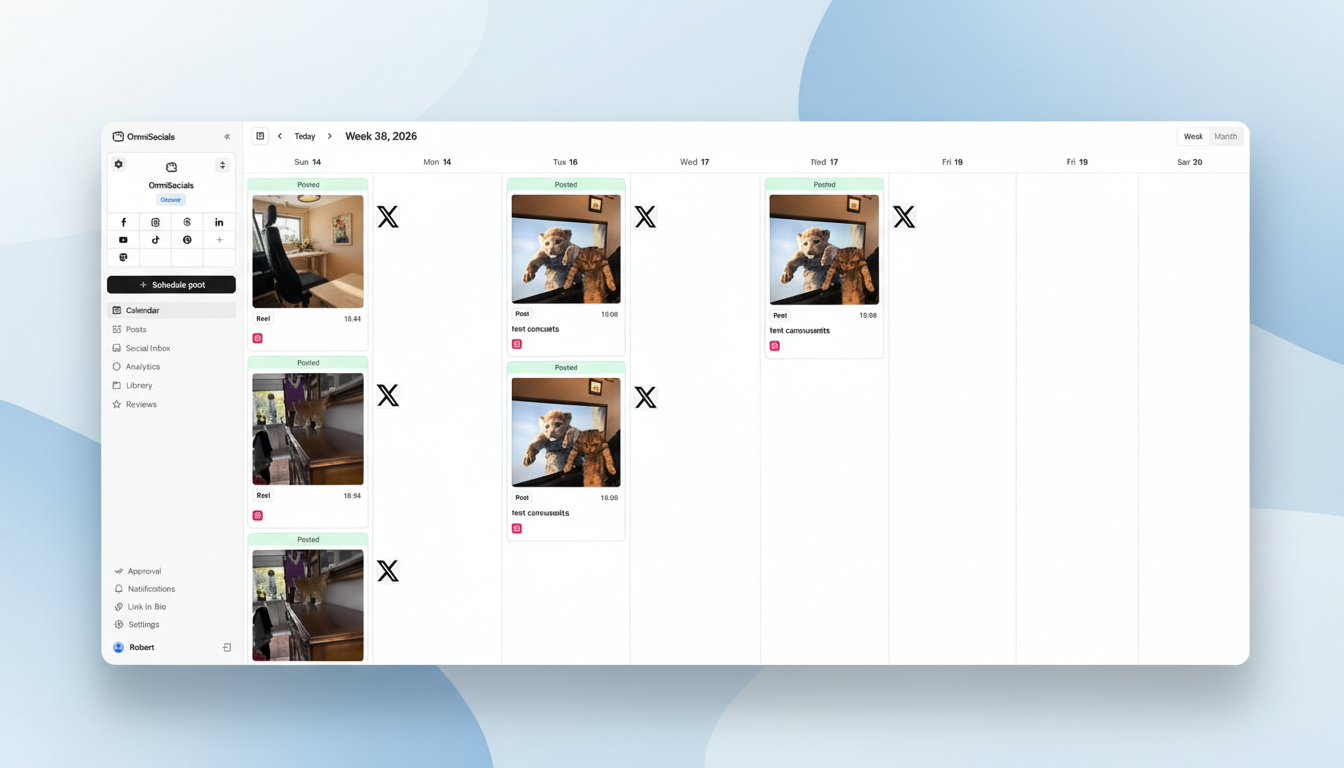
[Screenshot: OmniSocials visual editor with Instagram preview and multi-platform scheduling]
OmniSocials is the best Later alternative for anyone who wants more platforms, better pricing, and features Later doesn't offer.
At $10/mo flat, OmniSocials costs 60% less than Later and gives you 11 platforms instead of Later's 5. That includes X/Twitter, Bluesky, Threads, and Mastodon, all of which Later doesn't support.
The visual post editor shows real previews for each platform, similar to how Later shows you Instagram previews. You customize captions, hashtags, and images per platform from one screen.
The biggest feature Later lacks: a social inbox. OmniSocials includes one at no extra cost. Managing DMs and comments across all your platforms from one place saves significant time.
Key features:
- 11 platforms including X, Bluesky, Threads, and Mastodon
- Visual post editor with per-platform previews
- Unified social inbox for DMs and comments
- Approval workflows for teams and clients
- Media library with Pexels and Unsplash
- Thread scheduling for multi-part posts
Pros:
- 60% cheaper than Later with 6 more platforms
- X/Twitter support (Later dropped it)
- Social inbox included (Later doesn't have one)
- Flat pricing with no per-channel fees
Cons:
- No Instagram grid preview (post previews available, not feed layout)
- No Linkin.bio equivalent built in
- Newer platform with fewer resources
- No content recycling automation
Pricing: $10/mo (annual) or $12/mo (monthly). 14-day free trial.
Verdict: OmniSocials is the most complete Later replacement. More platforms, more features, lower price. The only things Later does better are the Instagram grid layout preview and Linkin.bio.
Switch from Later in 5 minutes. Try OmniSocials free for 14 days. Connect all 11 platforms.
2. Pallyy: Closest Visual Match to Later
[Screenshot: Pallyy Instagram grid preview with drag-and-drop planning]
Pallyy is the closest Later alternative if the visual grid preview is the feature you care about most.
Starting at $13.50/mo, Pallyy gives you the Instagram grid preview, visual feed planner, and drag-and-drop scheduling that made Later popular. Plus it includes a social inbox and X/Twitter support, two things Later doesn't offer.
The grid preview lets you arrange posts to see how your Instagram feed will look as a whole. For brands obsessing over visual consistency, this is the feature that matters.
Key features:
- Instagram grid preview with drag-and-drop
- Visual feed planner for content planning
- Social inbox for comments and DMs
- TikTok, Instagram, Facebook, LinkedIn, X, and more
- Post recycling for evergreen content
- AI caption generation
Pros:
- Instagram grid preview matches Later's visual planning
- Social inbox included (Later doesn't have one)
- X/Twitter support (Later dropped it)
- $13.50/mo is cheaper than Later's $25/mo
Cons:
- Per-social-set pricing for additional brands
- Additional users are expensive ($26.10/mo)
- No Linkin.bio equivalent
- Smaller platform with fewer community resources
Pricing: Free (1 set, 15 posts/mo) / From $13.50/mo per social set.
Verdict: Pallyy is the visual-first Later replacement. If the grid preview and visual planning are what kept you on Later, Pallyy delivers them at nearly half the price with X support and a social inbox added.
3. Buffer: Best Free Later Alternative
[Screenshot: Buffer clean scheduling interface with X/Twitter support]
Buffer is the best Later alternative if you need a free plan.
Buffer's free plan gives you 3 channels and 10 scheduled posts per channel. It supports X/Twitter, Instagram, TikTok, Facebook, LinkedIn, and more. That's a genuine free scheduling tool, not a 14-day trial that expires.
Buffer's interface is the simplest on this list. No visual feed planning, no grid preview, no social inbox. Just clean, fast scheduling. If Later's visual features aren't essential to you, Buffer covers the basics at zero cost.
Key features:
- Free plan with 3 channels and 10 posts each
- X/Twitter support
- Clean, minimal scheduling interface
- AI assistant for caption writing
- Browser extension for quick scheduling
- Basic analytics on paid plans
Pros:
- Free plan that doesn't expire
- X/Twitter support
- Simplest interface on this list
- Good for creators managing 1-3 platforms
Cons:
- No Instagram grid preview
- No social inbox
- Per-channel pricing on paid plans ($5/channel)
- Analytics are very basic
Pricing: Free (3 channels, 10 posts) / $5/channel/mo (Essentials).
Verdict: Buffer is the easy switch for anyone who used Later's free plan. It's simple, it's free, and it supports X. Just don't expect Later's visual planning features. For more free options, see our free social media schedulers guide.
4. SocialBee: Best for Evergreen Content Strategy
[Screenshot: SocialBee content categories with automated posting schedule]
SocialBee is the best Later alternative if content recycling and automation matter more to you than visual grid planning.
Later treats every post as a one-time event. SocialBee's content category system lets you group posts by type and set each on an automated schedule. Your best content gets recycled automatically. Your calendar stays full without manual work.
At $29/mo, SocialBee costs more than Later's $25/mo but gives you 9 platforms (including X), content recycling, and an AI copilot. No per-channel fees.
Key features:
- Content categories with automated recycling
- AI copilot for caption variations and hashtags
- 9 platforms including X/Twitter
- Visual calendar with drag-and-drop
- Canva and Unsplash integrations
- RSS feed auto-posting
Pros:
- Content recycling is unique to SocialBee
- AI copilot generates useful caption variations
- X/Twitter support
- Flat pricing, more platforms than Later
Cons:
- $29/mo is slightly more than Later
- No Instagram grid preview
- Steeper learning curve
- No social inbox
Pricing: From $29/mo (Bootstrap). 14-day free trial.
Verdict: SocialBee is the right Later alternative if you create evergreen content that deserves more than one round of posting. The recycling system saves hours per month.
5. Publer: Best Budget Later Alternative
[Screenshot: Publer scheduling dashboard with link-in-bio builder]
Publer is the best Later alternative if you want a free plan with more features and lower paid pricing.
Publer's free plan includes 3 accounts with 10 posts each plus basic analytics. That's more than Later's discontinued free plan offered. On paid plans starting at $12/mo, you get unlimited scheduling, bulk upload, and a link-in-bio tool similar to Later's Linkin.bio.
X/Twitter, Google Business Profile, and all major platforms are supported. The link-in-bio feature is a direct replacement for Later's Linkin.bio, which is one of the main features that keeps people on Later.
Key features:
- Free plan with 3 accounts and analytics
- Link-in-bio page builder (Later's Linkin.bio equivalent)
- Bulk upload up to 500 posts
- X/Twitter and Google Business Profile support
- AI Assist for captions and hashtags
- Auto-scheduling with optimal times
Pros:
- Free plan is more generous than Later's old one
- Link-in-bio replaces Later's Linkin.bio
- X/Twitter support
- $12/mo paid plan is half Later's price
Cons:
- No Instagram grid preview
- Per-account pricing can add up
- Interface is less polished than Later or Buffer
- Smaller community and resources
Pricing: Free (3 accounts) / From $12/mo (Professional).
Verdict: Publer is the budget pick with the link-in-bio feature. If Linkin.bio was one of your reasons for staying on Later, Publer offers a similar tool at a lower price with a real free plan.
6. Planoly: Best for Instagram and Pinterest Visual Planning
[Screenshot: Planoly Instagram grid planner with Pinterest board scheduling]
Planoly is the best Later alternative if your strategy centers on Instagram and Pinterest.
Starting at $16/mo, Planoly offers Instagram grid preview, visual feed planning, and Pinterest board scheduling. The visual planning experience is similar to Later's, with a focus on how your content looks as a complete feed.
Sellit is Planoly's built-in storefront feature. Link products directly to your Instagram posts and create a shoppable landing page. For ecommerce brands, this goes beyond what Later's Linkin.bio offers.
The trade-off: Planoly doesn't support X/Twitter, and the platform count is limited to 6.
Key features:
- Instagram grid preview with visual feed planning
- Pinterest board scheduling
- Sellit storefront for shoppable posts
- Content calendar with drag-and-drop
- Hashtag manager
- Basic analytics and reporting
Pros:
- Instagram grid preview matches Later's quality
- Pinterest scheduling is strong
- Sellit storefront feature for ecommerce brands
- Slightly cheaper than Later ($16 vs. $25)
Cons:
- No X/Twitter support (same problem as Later)
- Limited to 6 platforms
- No social inbox
- No free plan (14-day trial only)
Pricing: From $16/mo (Starter). 14-day free trial.
Verdict: Planoly is the Later alternative for Instagram and Pinterest purists. The visual planning and storefront features are strong. But if you need X/Twitter or broader platform support, other tools on this list are better fits.
7. Planable: Best for Team Content Approvals
[Screenshot: Planable visual content preview with team approval workflow]
Planable is the best Later alternative if team collaboration and content approvals are your biggest need.
Later's approval workflows are basic. Planable was built for content teams. Every post gets a visual preview for each platform. Team members comment directly on posts, suggest changes, and approve or reject in one click. The real-time collaboration works like Google Docs.
The free plan gives you 50 total posts with no time limit. That's enough to test the workflow before committing.
Key features:
- Visual post previews for every platform
- Multi-level approval workflows
- Real-time team collaboration
- Content calendar with drag-and-drop
- X/Twitter support
- Separate workspaces per brand/client
Pros:
- Best approval workflow of any tool on this list
- Visual previews for team/client review
- X/Twitter support
- Free plan with 50 posts (no expiration)
Cons:
- $39/workspace/mo is expensive for solo users
- Analytics and engagement are paid add-ons
- Not primarily a scheduling tool
- Per-workspace pricing adds up
Pricing: Free (50 posts) / From $39/workspace/mo.
Verdict: Planable is the Later alternative for teams where the bottleneck is approvals, not scheduling. If you need clients or managers to review content before it goes live, Planable does it better than any other tool on this list.
Which Later Alternative Is Right for You?
If you want the best overall replacement: OmniSocials ($10/mo). More platforms, a social inbox, X support, and lower pricing. The most complete Later replacement.
If you need visual grid planning: Pallyy ($13.50/mo). The closest match to Later's Instagram visual features at a lower price with X support included.
If you need a free plan: Buffer (free) for simplicity. Publer (free) if you also want a link-in-bio tool.
If you create evergreen content: SocialBee ($29/mo) for automated content recycling.
If you sell products through Instagram: Planoly ($16/mo) for the Sellit storefront feature.
If team approvals are the priority: Planable ($39/workspace) for visual approval workflows.
For more scheduling options, check our guides on the best social media schedulers and Instagram scheduling tools.
Ready to switch? Try OmniSocials free for 14 days and manage 11 platforms for $10/mo.
Frequently Asked Questions
Why are people switching from Later?
Later removed its free plan in 2025, replacing it with a 14-day trial. Later also dropped X/Twitter support entirely. The cheapest plan is now $25/month for limited features (1 social set, 30 posts per profile). These changes pushed many users to alternatives that still offer free plans and broader platform support.
What is the best free alternative to Later?
Buffer is the best free Later alternative with 3 channels and 10 posts per channel. Publer is another strong free option with 3 accounts and basic analytics included. Both support X/Twitter, which Later dropped. OmniSocials offers a 14-day free trial with full features across 11 platforms — see the full OmniSocials vs Later comparison for pricing and platform details.
Does Later still support X/Twitter?
No. Later dropped X/Twitter support in 2025. If you need to schedule posts to X alongside Instagram and TikTok, you'll need an alternative. OmniSocials, Buffer, SocialBee, Publer, and Planable all support X/Twitter.
Which Later alternative has the best Instagram features?
Pallyy is the closest match to Later's Instagram features, with a visual feed planner and grid preview at $13.50/month. Planoly also offers strong Instagram visual planning with a storefront feature starting at $16/month. Both are cheaper than Later's $25/month.