Best Social Media Planner for 2026 (Free & Paid)
Picking a social media planner shouldn't be this hard.
You've got tools starting at $0 and going up to $200+/month. Some charge per channel. Others gate features behind enterprise plans. A few don't even support platforms like Bluesky or Threads yet.
I've tested the most popular social media planners to save you the headache. Here's what's actually worth your money in 2026, whether you're a solopreneur, a small team, or an agency managing multiple clients.
Quick picks:
- OmniSocials - best for multi-platform scheduling on a budget ($10/mo flat, 11 platforms)
- Buffer - best free plan for beginners (3 channels free)
- Later - best for Instagram-first brands (visual grid planner)
- Hootsuite - best for enterprise teams ($99/mo+)
- Notion / Google Sheets - best free DIY option (no auto-publishing)
What Is a Social Media Planner?
A social media planner is a tool that helps you organize, schedule, and publish content across platforms like Instagram, LinkedIn, and TikTok. It can be a physical notebook, a spreadsheet, or dedicated software like Buffer or OmniSocials. The best social media planning tools let you batch-create weeks of content in one sitting and auto-publish at optimal times.
Here's the thing: most people searching for a "social media planner" actually want scheduling software, not a paper planner. That's what this guide focuses on.
Buffer found that consistent posting leads to 5x more engagement based on an analysis of over 100,000 users (Source: Buffer, 2026). A social media planner makes consistency possible without being glued to your phone all day.
How to Plan Your Social Media Content
Before picking a tool, you need a basic content plan. It doesn't have to be complicated.
Define Your Content Pillars
Pick 3-5 topics you'll post about regularly. For a small business, your pillars might look like:
- Product updates (what's new, features, behind the scenes)
- Industry insights (trends your audience cares about)
- Educational content (how-tos, tips, frameworks)
- Personal stories (building in public, lessons learned)
- Social proof (customer results, testimonials)
These pillars keep your content focused. Without them, you'll waste time staring at a blank screen every morning wondering what to post.
Set a Posting Schedule
You don't need to post everywhere every day. Here's a realistic starting point:
| Platform | Posts Per Week | Best Content Type |
|---|---|---|
| 3-5 | Text posts, carousels | |
| 3-7 | Reels, carousels, Stories | |
| TikTok | 3-5 | Short-form video |
| X (Twitter) | 5-10 | Text, threads |
| 3-5 | Native video, links |
The key is consistency over volume. Three solid posts per week beat seven mediocre ones.
Batch Create and Queue Posts
This is where a social media planner earns its keep. Set aside 2-3 hours once a week:
- Write all your captions for the week in one focused session
- Prepare your visuals (images, videos, carousels)
- Schedule everything in your planner for the week ahead
- Review your queue on Monday morning and adjust if needed
I batch-create all my content this way. One focused session beats scrambling to post something every single day. Our step-by-step guide to scheduling social media posts walks through the exact batching workflow, including best posting times by platform.
Ready to start batching? Try OmniSocials free for 14 days →
Best Social Media Planners in 2026
Here's a quick comparison before the detailed reviews:
| Tool | Price | Platforms | Best For | Free Option |
|---|---|---|---|---|
| OmniSocials | $10/mo flat | 11 | Budget multi-platform | 14-day trial |
| Buffer | $6/channel/mo | 8 | Beginners | Yes (3 channels) |
| Later | $25/mo | 7 | Instagram-first brands | Yes (limited) |
| Hootsuite | $99/mo | 10 | Enterprise teams | No |
| Notion | Free | Manual only | DIY planners | Yes |
1. OmniSocials: Best Social Media Planner on a Budget
OmniSocials is built for people who manage multiple platforms without a big budget.
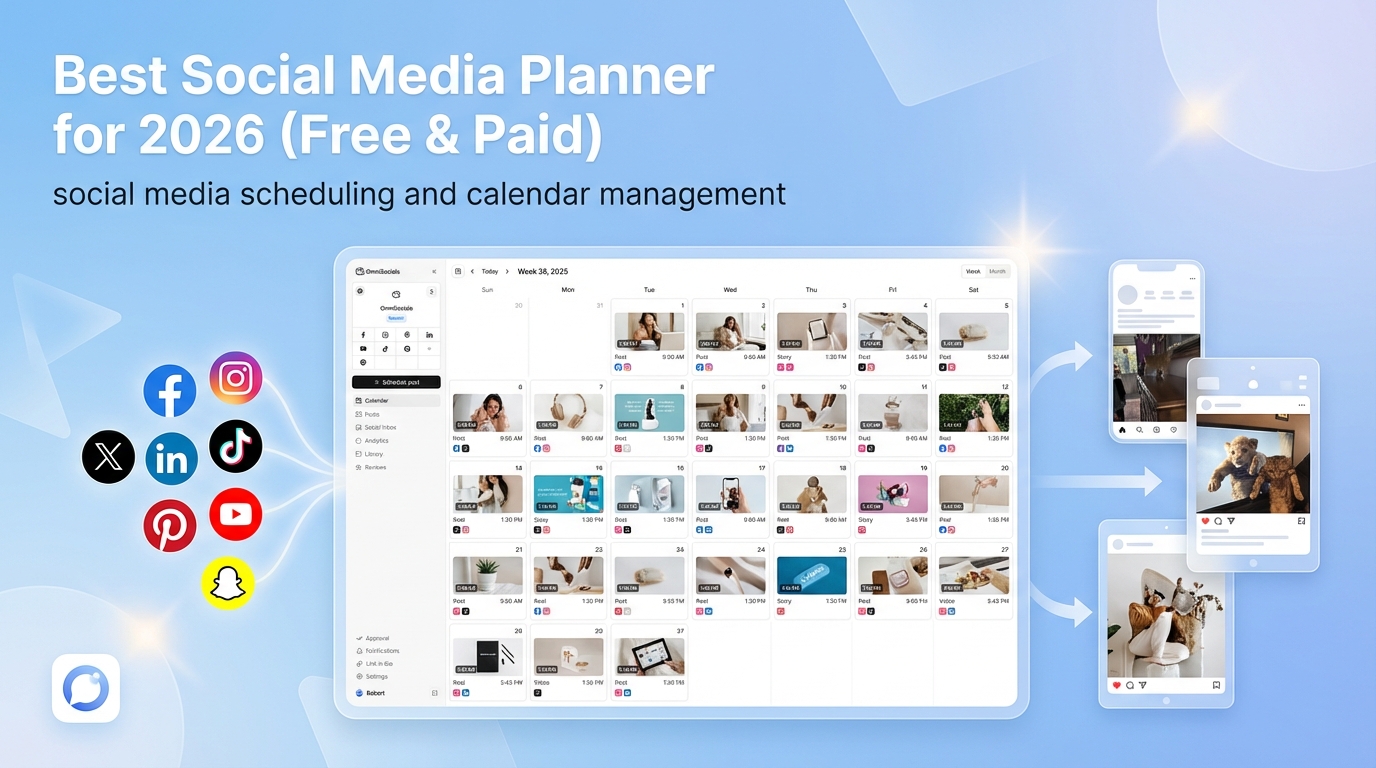
What I particularly like about OmniSocials is the flat pricing. 11 platforms for $10/month. That includes Instagram, Facebook, LinkedIn, YouTube, TikTok, X, Pinterest, Bluesky, Threads, Mastodon, and Google Business Profile. No per-channel fees, no feature gates.
The visual post editor lets you create and preview content for each platform before scheduling. You also get a unified inbox for managing comments and DMs across all connected accounts, plus a built-in media library with Pexels and Unsplash integration.
For small teams, the approval workflows are included in the base price. No need to upgrade to an enterprise plan just to get client approvals.
Pros:
- Flat $10/mo pricing with no per-channel or per-seat surprises
- 11 platforms including Bluesky, Threads, and Mastodon
- Unified inbox for all DMs and comments
- Built-in media library (Pexels + Unsplash)
- Approval workflows included at base price
Cons:
- Newer tool with a smaller community compared to Buffer or Hootsuite
- Analytics are solid but not as deep as Sprout Social
- No free forever plan (14-day trial only)
Pricing: $10/mo (annual) or $12/mo (monthly). Extra team members cost $10/mo each.
2. Buffer: Best Free Social Media Planner
Buffer has been around since 2010, and it's still one of the simplest social media planners out there.
The free plan gives you 3 channels with basic scheduling. That's enough to get started if you're only active on 2-3 platforms. The interface is clean and intuitive. You won't spend hours figuring out how things work.
The trade-off is pricing at scale. Buffer charges $6 per channel per month on paid plans. Managing 5 platforms costs $30/month. At 10 channels, you're looking at $60/month. For a single platform, it's a solid deal. For multi-platform management, costs add up fast.
Pros:
- Free plan with 3 channels and basic scheduling
- Dead-simple interface, minimal learning curve
- Good browser extension for sharing content
- Solid analytics on paid plans
Cons:
- Per-channel pricing gets expensive with multiple platforms
- No unified inbox for DMs and comments
- Limited to 8 platforms (no Bluesky, Mastodon, or Threads)
- Free plan has no analytics and limited scheduling slots
Pricing: Free (3 channels), then $6/channel/month. A 5-channel setup runs $30/mo.
3. Later: Best Social Media Planner for Instagram
Later started as an Instagram scheduling tool and it still shines brightest there. The visual content calendar and drag-and-drop grid planner make it easy to plan your Instagram feed aesthetically.
If Instagram and TikTok are your main platforms, Later is a strong choice. The visual planner shows exactly how your feed will look before you post. That matters if brand aesthetics are a priority.
Support for other platforms is more limited. Later covers Instagram, TikTok, Facebook, Pinterest, LinkedIn, X, and YouTube, but platforms like Bluesky and Threads aren't available yet.
Pros:
- Best visual grid planner for Instagram feed aesthetics
- Strong TikTok and Reels support
- Linkin.bio feature for driving Instagram traffic
- Decent hashtag suggestions
Cons:
- Starts at $25/mo, which is pricey for the feature set
- 7 platforms only, no Bluesky or Mastodon
- Analytics locked behind higher tiers
- Per-social-set pricing can be confusing
Pricing: Starts at $25/mo (1 social set). Growth plan at $45/mo adds more social sets and analytics.
4. Hootsuite: Best Social Media Planner for Enterprise
Hootsuite is the legacy player in social media management. It supports 10 platforms and comes loaded with features: scheduling, analytics, social listening, team workflows, and ad management.
The catch? It starts at $99/month and the pricing only goes up from there. For enterprise teams with big budgets and complex needs, Hootsuite delivers. For small businesses and solopreneurs, it's overkill.
Pros:
- Comprehensive feature set (scheduling, analytics, listening, ads)
- Robust team collaboration tools
- Social listening and sentiment analysis
- 10 platform integrations
Cons:
- $99/mo minimum is steep for small teams
- Interface feels cluttered compared to newer tools
- No free plan anymore (removed it in 2023)
- Per-user pricing on higher tiers adds up quickly
Pricing: Professional plan starts at $99/mo. Team plan at $249/mo. Enterprise is custom.
5. Notion or Google Sheets: Best Free DIY Social Media Planner
If you're on a zero budget and don't mind manual posting, Notion and Google Sheets work surprisingly well as a social media content planner.
Notion has dozens of free social media calendar templates. You can plan your content, organize by platform, add images, and track what's been posted. Google Sheets does the same thing with a more traditional spreadsheet approach.
The obvious downside: no auto-publishing. You still have to copy-paste each post and hit publish on each platform manually. That's fine for 1-2 platforms and a few posts per week. It breaks down fast once you're managing 5+ channels.
Pros:
- Completely free
- Flexible and customizable to your exact workflow
- No learning curve (you already know these tools)
- Good for planning before committing to paid software
Cons:
- No auto-scheduling or publishing at all
- No analytics or performance tracking
- No unified inbox
- Manual posting gets tedious at scale
Pricing: Free.
Start scheduling today. OmniSocials: 11 platforms for $10/mo → No per-channel fees. Free 14-day trial.
What to Look for in a Social Media Planning Tool
Not every social media planner is right for every business. Here's what actually matters when choosing:
- Platform support is more important than you think. If you're active on Bluesky or Threads, check that your tool supports them. Many still don't.
- Pricing model varies wildly. Per-channel pricing (Buffer) punishes you for using more platforms. Flat pricing (OmniSocials) stays predictable as you grow.
- Auto-scheduling is the whole point. If a tool can't publish for you, you're just using a fancy to-do list.
- Analytics help you learn what works. Basic metrics like impressions and engagement rate are enough for most small businesses.
- Team features matter if you work with clients or teammates. Look for approval workflows and role-based permissions.
Pick based on what you actually need today, not what you might need in two years. For a deeper look at what to automate vs. keep manual in your social media workflow, see our social media automation guide.
Free Social Media Planner Templates
Not ready for paid software? These free options work well as a starting point:
- Notion social media calendar templates are the most popular. Search "social media planner" in Notion's template gallery and you'll find dozens.
- Google Sheets content calendars are simple and easy to share with your team.
- Buffer's free plan gives you actual scheduling for 3 channels, not just planning.
Templates are great for getting organized. But once you're posting to more than 2-3 platforms regularly, the time spent manually publishing will cost more than a $10/month tool saves you.
Frequently Asked Questions
What is the best free social media planner?
Buffer offers the best free plan for social media planning, supporting up to 3 channels with basic scheduling. For a completely free DIY option, Notion templates work well if you don't need auto-publishing. OmniSocials offers a 14-day free trial with full access to all 11 platforms.
How do I create a social media content plan?
Start by defining 3-5 content pillars (topics you'll consistently post about). Set a posting schedule per platform, aiming for consistency over frequency. Use a social media planner to batch-create a week's worth of content in one sitting, and schedule posts to publish at optimal times for your audience.
Is there a social media planner that posts automatically?
Yes. Most modern social media planners include auto-publishing. Tools like OmniSocials, Buffer, Later, and Hootsuite let you schedule posts to publish automatically at your chosen time across multiple platforms. You create the content, set the date and time, and the tool handles the rest.
How much does a social media planner cost?
Social media planners range from free (Buffer's basic plan, Notion templates) to $200+/month (Sprout Social, Hootsuite enterprise). For small businesses and solopreneurs, expect to pay $10-30/month. OmniSocials is $10/month flat for 11 platforms. Buffer starts at $6/month per channel.
What's the difference between a social media planner and a social media management tool?
A social media planner focuses on content scheduling and publishing. A social media management tool adds analytics, inbox management, team collaboration, and reporting. Many tools like OmniSocials and Hootsuite combine both. If you just need scheduling, a planner is enough. If you need analytics and inbox features, look for a full management tool.